
Photo & Video
AirPlay Cast
AirPlay Cast shares supported phone media or screens to compatible displays over Wi-Fi.
Consider after a compatibility test
Local photos and presentations provide simple casting tasks.
Keep in mind: Same-network support does not guarantee every TV, DRM video or low latency; remote functions vary by receiver.
Inside the app
Official product images
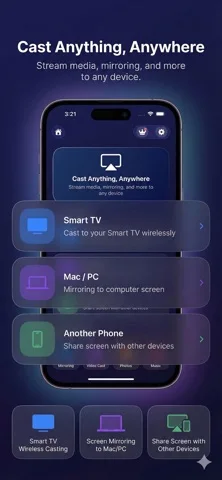


What you can do
- Cast eligible media or web content
- Mirror supported screen content
- Use available playback or volume controls
Good for
- Users with compatible network displays
Consider alternatives for
- Users needing guaranteed zero-delay gaming
Limitations & considerations
- Captured minimum: iOS 15.
- Same-network support does not guarantee every TV, DRM video or low latency; remote functions vary by receiver.
Privacy & permissions
Mirroring can expose messages and private media; authorize trusted receivers only.
Sources & review notes Updated Nov 10, 2026
Reviewed by iApp4Me Editorial Team. Recommendations use the linked documentation and attributed accounts; device observations are identified separately.
- US App Store developer description
Complete description, download price and compatibility metadata captured 2026-11-02.
No comments yet. Be the first to share your experience.