
Audio, video & subtitles
Buzz
An open-source desktop route to offline speech transcription and timed subtitle files.
Consider it when inspectable software and subtitle export matter more than a commercial transcript workspace.
Record, edit, transcribe, and caption audio and video.


Find an approach for: convert audio and video formats.
Find an approach for: edit podcast audio.
Find an approach for: edit a video on ipad.

I need subtitles without uploading my video
Find an approach for: record and organize voice notes.
I need an on-device interview transcript
An open-source desktop route to offline speech transcription and timed subtitle files.
Consider it when inspectable software and subtitle export matter more than a commercial transcript workspace.
A spoken-word recording and editing candidate for interviews, narration and podcasts on iPhone or iPad.
Shortlist it for podcast editing, reusable templates and keyboard-driven cleanup rather than music production.
Apple’s video editor is a baseline to try before buying a more complex editing workflow.
Start here for a simple movie project before paying for a more complex timeline editor.
A multitrack editor to investigate when an iPad project needs more deliberate control over layers and sound.
Consider it when a simple movie editor no longer fits your multitrack editing workflow.
A Mac transcription candidate with a broader workflow than a simple subtitle generator.
Shortlist it when you need transcript editing and exports as well as captions. Pick a local model when the intended workflow is on-device.
A Mac subtitle-generation candidate for creators who want to turn recorded speech into captions rather than edit a whole movie.
Shortlist it when the deliverable is a subtitle file rather than a multitrack video project. Read the model-setup instructions before getting started.
iMovieLumaFusionStart with free iMovie for a straightforward iPad movie using clips, titles and music. Consider LumaFusion when a specific multitrack or more detailed editing need justifies the purchase and learning curve. Its base app and optional add-ons are separate purchases.
TinyStudioMacWhisperChoose TinyStudio for a focused Mac subtitle workflow. Choose MacWhisper when reviewing, reusing and exporting transcripts is a larger part of your work. TinyStudio’s Mac listing is free; MacWhisper offers Free and Pro editions. Neither positioning establishes an accuracy or speed winner.
LumaFusion Step-by-step guide
Start with three short clips, one title and a defined export target. Follow the linked LumaFusion reference guide for import, assembly and export, then check the finished movie outside the editor.
TinyStudio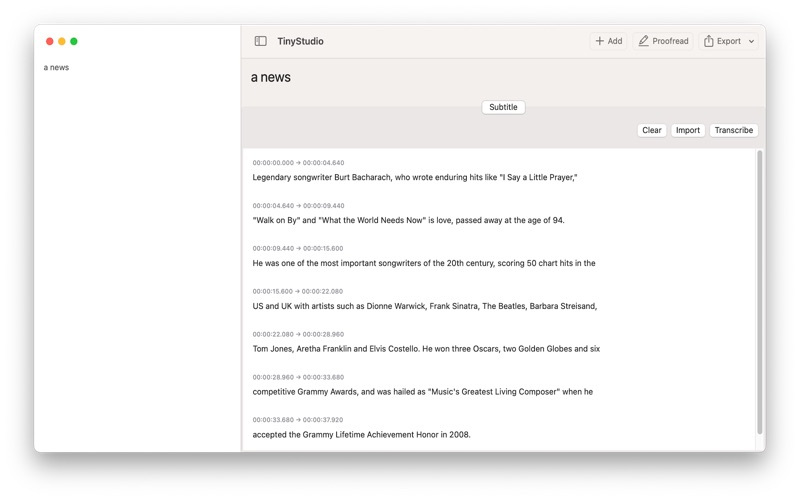 Step-by-step guide
Use this draft as a preparation and verification checklist for a TinyStudio subtitle run, not a claim that we have executed the latest app. The intended result is a corrected, timed subtitle file that plays with your video.
MacWhisper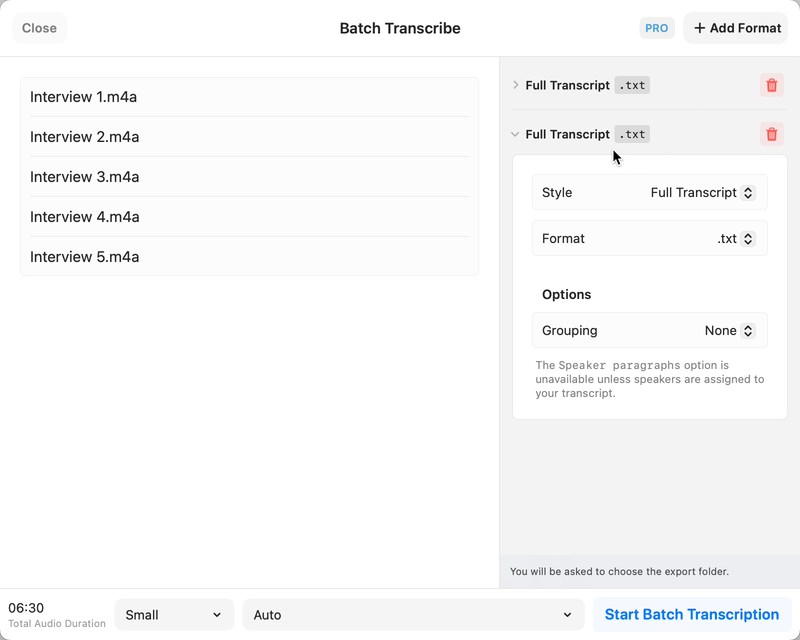 Step-by-step guide
Choose a local model for a local interview workflow, leave optional cloud actions disabled, and review names and speaker turns against the recording. MacWhisper’s official documentation describes the workflow; optional integrations are separate processing choices.