
AskLink-Remote Desktop
A remote-access client for viewing and controlling supported computers and other endpoints, with screen sharing and unattended-access options.
Consider for authorized access to your own managed devices
Cross-platform access and device-management features can reduce the need to be physically beside a computer.
Keep in mind: Connection performance depends on both endpoints, permissions and the network; advertised encryption and acceleration are not independent security or latency tests.
Inside the app
Official product images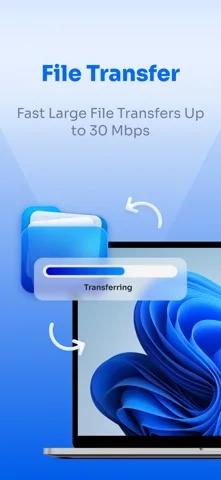
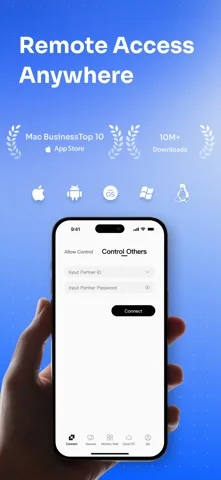
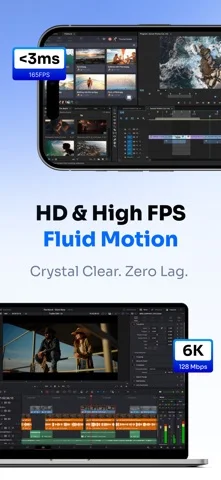
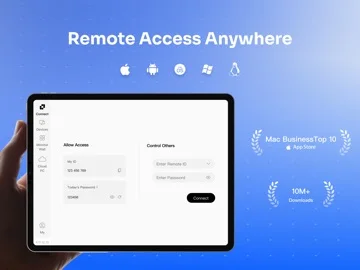
What you can do
- Access supported Windows, macOS, Linux and Android endpoints
- Share screens for authorized assistance
- Configure device verification and access passwords
- Use the described unattended access and privacy-screen options
Good for
- Users and support staff who can configure both ends and obtain the owner's authorization.
Consider alternatives for
- People expecting remote control without endpoint installation, permissions or a clear trust relationship.
Limitations & considerations
- Captured minimum: iOS 15.0.
- Connection performance depends on both endpoints, permissions and the network; advertised encryption and acceleration are not independent security or latency tests.
Privacy & permissions
Remote control can reveal the full desktop and allow significant actions. Protect access credentials and review unattended permissions carefully.
Sources & review notes Updated Nov 11, 2026
Reviewed by iApp4Me Editorial Team. Recommendations use the linked documentation and attributed accounts; device observations are identified separately.
- US App Store developer description
Complete description, download price and compatibility metadata captured 2026-11-02.
No comments yet. Be the first to share your experience.