
Better Rename 11
Rename batches of Mac files using previews, metadata, pattern rules and multi-step operations.
Someone managing a large photo, music or general file collection.
Rename batches of Mac files using previews, metadata, pattern rules and multi-step operations.
Keep in mind: Renaming changes file paths and can affect references in other projects. Test rules on copies and inspect previews; collision handling, metadata coverage and recovery were not independently verified.
Inside the app
Official product images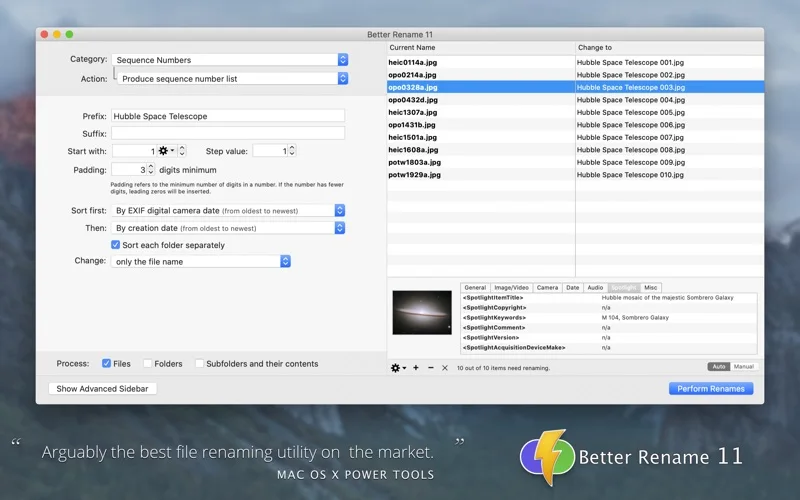
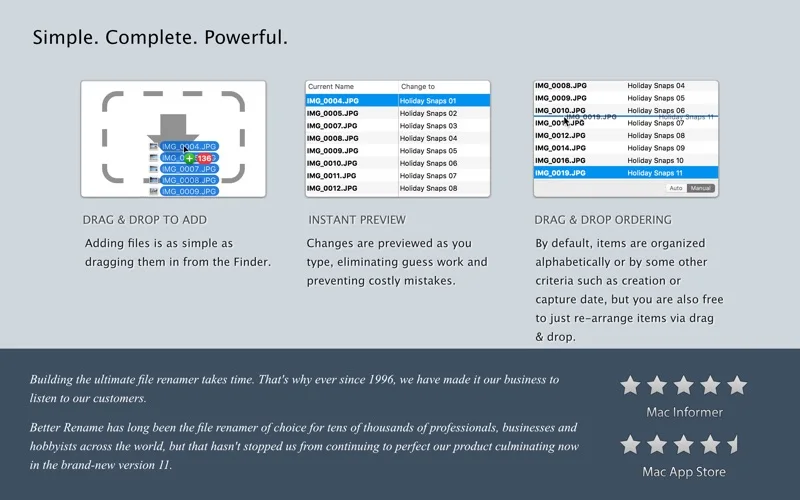
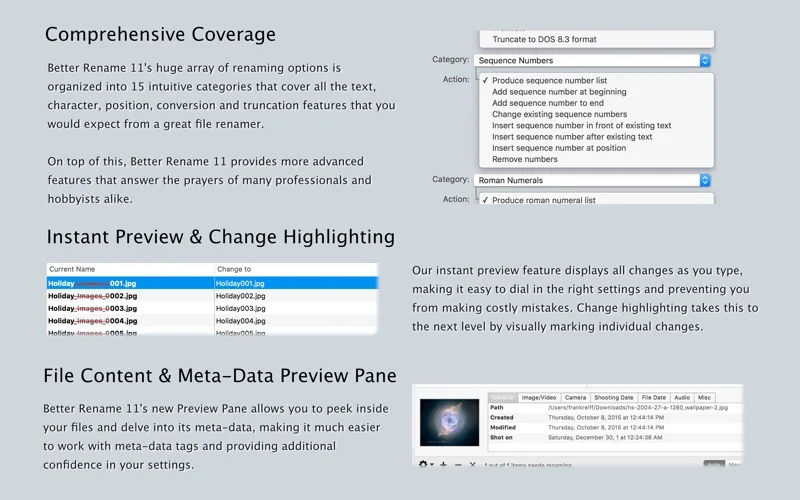
What you can do
- Preview changes before applying combined renaming steps.
- Use sequences, dates, regular expressions and imported name lists.
- Build names from supported photo EXIF or music metadata.
Good for
- Someone managing a large photo, music or general file collection.
Consider alternatives for
- A backup system or a guarantee that every rename is harmless.
Limitations & considerations
- Renaming changes file paths and can affect references in other projects. Test rules on copies and inspect previews; collision handling, metadata coverage and recovery were not independently verified.
Privacy & permissions
The app needs access to the files being renamed, and exported old/new name logs can reveal filenames. Limit access to relevant folders and review the store disclosure.
Sources & review notes Updated Nov 18, 2026
Reviewed by iApp4Me Editorial Team. Recommendations use the linked documentation and attributed accounts; device observations are identified separately.
- US App Store listing
Publisher description, version and US download price captured 2026-11-02; source-based coverage, not a device test.
No comments yet. Be the first to share your experience.