ByBroken Coloring
Color templates, draw in layers and convert selected photos/PDFs into outlines.
Good for family coloring and simple personal artwork
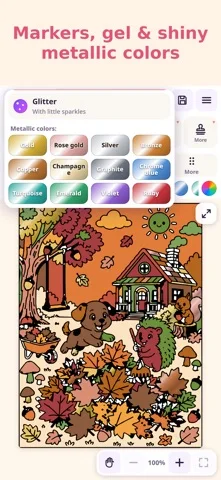
Fill tools, simulated brushes and symmetry cover both quick coloring and freehand work.
Keep in mind: Brush simulations are digital effects; imported complex images may need cleanup, and drawings should be exported before clearing local storage.
Inside the app
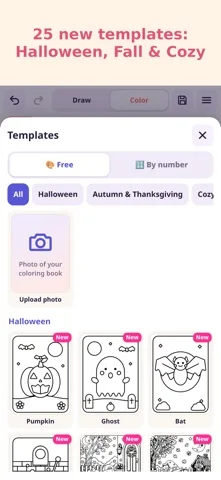
Official product images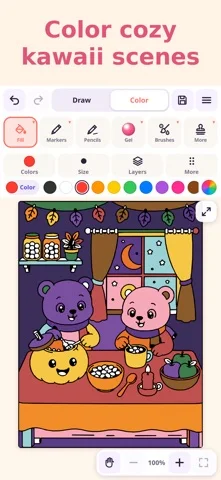
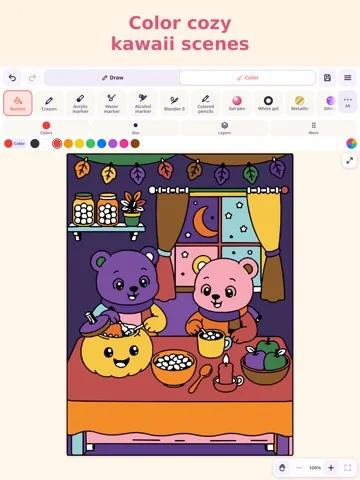
What you can do
- Fill, brush and gradient tools
- Layers, mandala symmetry and templates
- Photo/PDF outlines, time-lapse and sharing
Good for
- People making personal coloring artwork
Consider alternatives for
- A professional print-proofing or vector production system
Limitations & considerations
- Captured minimum: iOS 15.0.
- Brush simulations are digital effects; imported complex images may need cleanup, and drawings should be exported before clearing local storage.
Privacy & permissions
Publisher policy says drawings/photos stay on-device unless deliberately shared, with camera/photos accessed on request; deleting app/site storage can remove saved work.
Sources & review notes Updated Nov 12, 2026
Reviewed by iApp4Me Editorial Team. Recommendations use the linked documentation and attributed accounts; device observations are identified separately.
- US App Store developer description
Complete description, download price and compatibility metadata captured 2026-11-02.
- Official privacy
Cached official source reviewed November 12, 2026; policy scope and product/version qualifications preserved.
No comments yet. Be the first to share your experience.