Camo Studio – Stream & Record
Camo Studio builds scenes and streams/records supported camera, microphone and screen sources on iPhone/iPad.
Consider after testing the actual capture chain
Scene overlays and panels connect presentation with stream control.
Keep in mind: Capture cards/peripherals, background support and dual cameras depend on device; output/network/platform rules limit quality and reliability, not every service/setup is interchangeable.
Inside the app
Official product images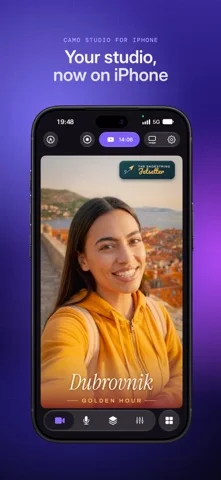
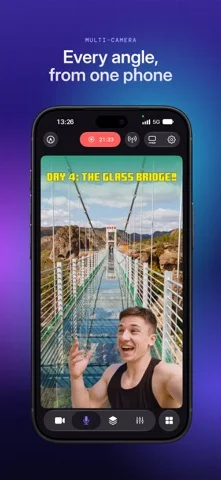
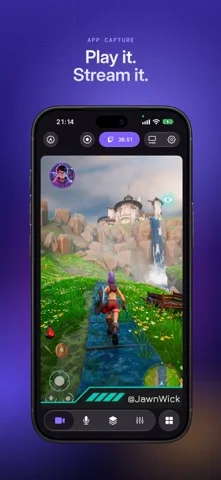
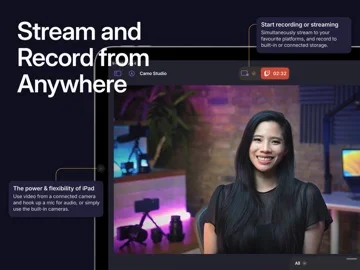
What you can do
- Arrange eligible layered scenes
- Connect supported camera/mic/capture inputs
- Record locally or stream to an authorized service
Good for
- Creators rehearsing with noncritical content
Consider alternatives for
- Users expecting every peripheral or uninterrupted background capture supported
Limitations & considerations
- Captured minimum: iOS 18.0.
- Capture cards/peripherals, background support and dual cameras depend on device; output/network/platform rules limit quality and reliability, not every service/setup is interchangeable.
Privacy & permissions
Publisher says video goes directly to chosen services and recordings to selected storage; live chat, web overlays and destination accounts introduce separate exposure.
Sources & review notes Updated Nov 11, 2026
Reviewed by iApp4Me Editorial Team. Recommendations use the linked documentation and attributed accounts; device observations are identified separately.
- US App Store developer description
Complete description, download price and compatibility metadata captured 2026-11-02.
No comments yet. Be the first to share your experience.