Photo & Video
CapCut Pad
CapCut Pad edits video/photo projects with a touch-focused multitrack timeline.
For tablet-oriented social video editing
Keyframes, captions and chroma key expand beyond trimming.
Keep in mind: Export resolution and AI availability vary with device/tier; captions require checking and music use needs rights.
Inside the app
Official product images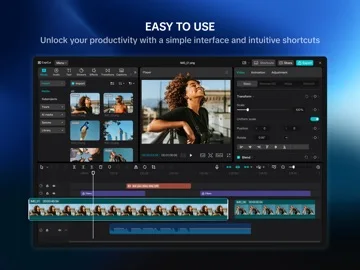
What you can do
- Trim and arrange multitrack clips.
- Apply keyframes/effects and stabilization.
- Use eligible captions/background removal and export.
Good for
- Creators editing on a tablet.
Consider alternatives for
- Anyone requiring guaranteed desktop feature parity.
Limitations & considerations
- Captured minimum: iOS 14.0.
- Export resolution and AI availability vary with device/tier; captions require checking and music use needs rights.
Privacy & permissions
Imported footage, speech and connected social sharing are sensitive.
Privacy policySources & review notes Updated Nov 9, 2026
Reviewed by iApp4Me Editorial Team. Recommendations use the linked documentation and attributed accounts; device observations are identified separately.
- US App Store developer description
Complete description, download price and compatibility metadata captured 2026-11-02.
- CapCut privacy
Developer-linked reference.
No comments yet. Be the first to share your experience.