
Entertainment
Console Capture
Console Capture displays video and audio from a supported external capture card on an iPad.
Use a compatible iPad as a capture display
Selectable resolution and frame-rate settings can match a known hardware input.
Keep in mind: A separate UVC capture card is required; advertised high resolutions and low latency depend on card, iPad and connection support.
Inside the app
Official product images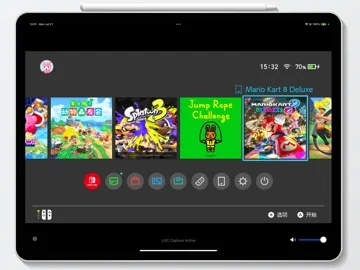
What you can do
- Receive supported external UVC video and audio
- Choose available resolution and frame rate
- Use the described external audio or controller setup where supported
Good for
- Users who have checked their capture card and device combination.
Consider alternatives for
- Users expecting console emulation or included gaming hardware.
Limitations & considerations
- Captured minimum: iOS 17.0.
- A separate UVC capture card is required; advertised high resolutions and low latency depend on card, iPad and connection support.
Privacy & permissions
Camera and microphone permissions are explicitly used for external capture; be aware of what is visible or audible on the connected source.
Sources & review notes Updated Nov 11, 2026
Reviewed by iApp4Me Editorial Team. Recommendations use the linked documentation and attributed accounts; device observations are identified separately.
- US App Store developer description
Complete description, download price and compatibility metadata captured 2026-11-02.
No comments yet. Be the first to share your experience.