DeskOS
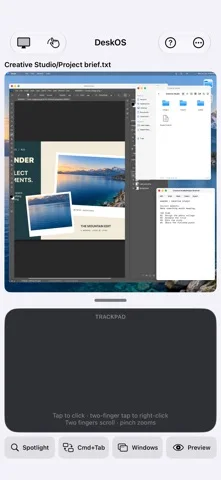
Arrange files, browser windows and built-in creative editors in an iPhone workspace.
Useful for on-device document and media tasks in one interface
File previews, PDF markup and creative editors reduce switching for supported workflows.
Keep in mind: It cannot run arbitrary installed apps; project formats differ, memory limits apply and foreground suspension can interrupt work.
Inside the app
Official product images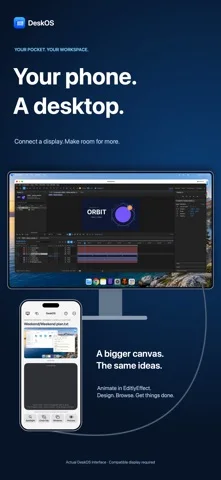
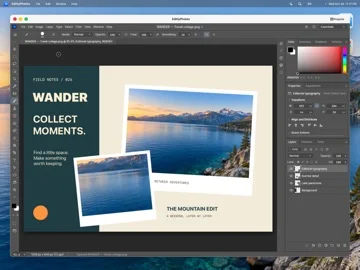
What you can do
- Windowed files and browser
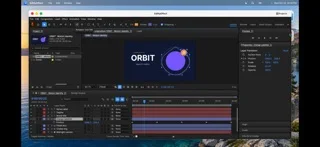
- Photo, video, motion and vector tools
- Optional personal-key AI assistance
Good for
- People wanting a compact mobile workspace
Consider alternatives for
- A desktop OS replacement or unlimited background execution
Limitations & considerations
- Captured minimum: iOS 17.0.
- It cannot run arbitrary installed apps; project formats differ, memory limits apply and foreground suspension can interrupt work.
Privacy & permissions
Local workspace data stays on-device according to the developer; websites/file providers handle their own data, and optional AI sends approved content to the chosen provider using a Keychain-stored API key.
Privacy policySources & review notes Updated Nov 12, 2026
Reviewed by iApp4Me Editorial Team. Recommendations use the linked documentation and attributed accounts; device observations are identified separately.
- US App Store developer description
Complete description, download price and compatibility metadata captured 2026-11-02.
- Official privacy
Cached official text reviewed November 12, 2026; website and app disclosures kept distinct.
No comments yet. Be the first to share your experience.