Deskscribble
Draw annotations over the desktop and open windows or use a whiteboard/blackboard surface.
A presenter demonstrating or annotating visible Mac content.
Draw annotations over the desktop and open windows or use a whiteboard/blackboard surface.
Keep in mind: The short listing does not describe saving/exporting or current tablet drivers. Overlay behavior, input compatibility and modern macOS operation were not tested.
Inside the app
Official product images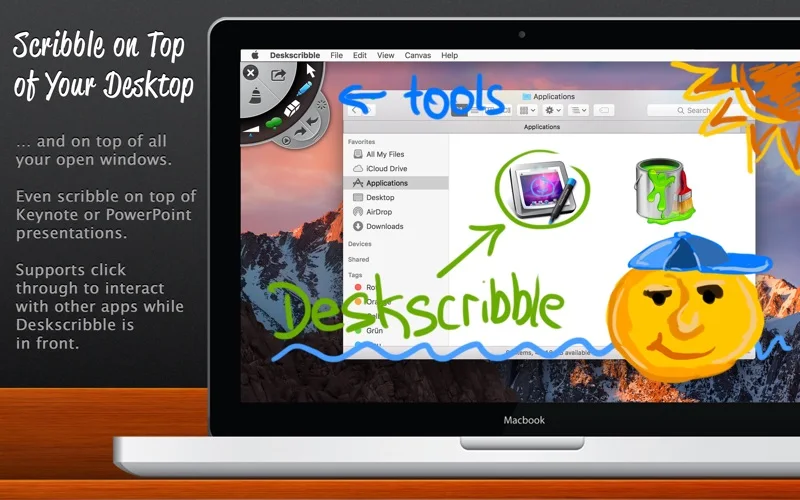
What you can do
- Highlight parts of a live desktop for a presentation.
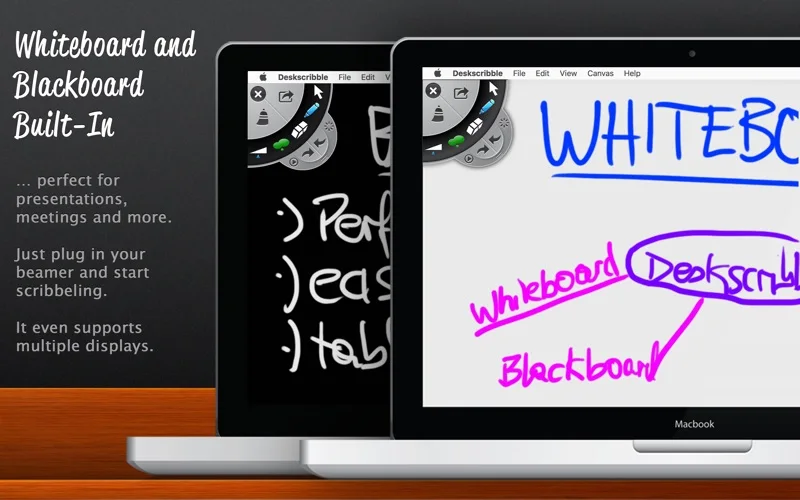
- Use the described whiteboard or blackboard drawing modes.
- Draw using supported Wacom tablet input.
Good for
- A presenter demonstrating or annotating visible Mac content.
Consider alternatives for
- An established document editor or guaranteed annotation export format.
Limitations & considerations
- The short listing does not describe saving/exporting or current tablet drivers. Overlay behavior, input compatibility and modern macOS operation were not tested.
Privacy & permissions
Desktop annotations may reveal underlying private windows during presentations. Check visible content and any requested permissions before screen sharing.
Sources & review notes Updated Nov 19, 2026
Reviewed by iApp4Me Editorial Team. Recommendations use the linked documentation and attributed accounts; device observations are identified separately.
- US App Store listing
Publisher description, version and US download price captured 2026-11-02; source-based coverage, not a device test.
No comments yet. Be the first to share your experience.