
Medical
DICOM Data View
Inspect DICOM header attributes and copy selected text values on Mac.
Useful for authorized technical/research metadata checks
Direct attribute access avoids opening a full imaging workstation.
Keep in mind: Does not display pixels/images and is explicitly not diagnostic. Viewing/copying is not anonymization or validity certification.
Inside the app
Official product images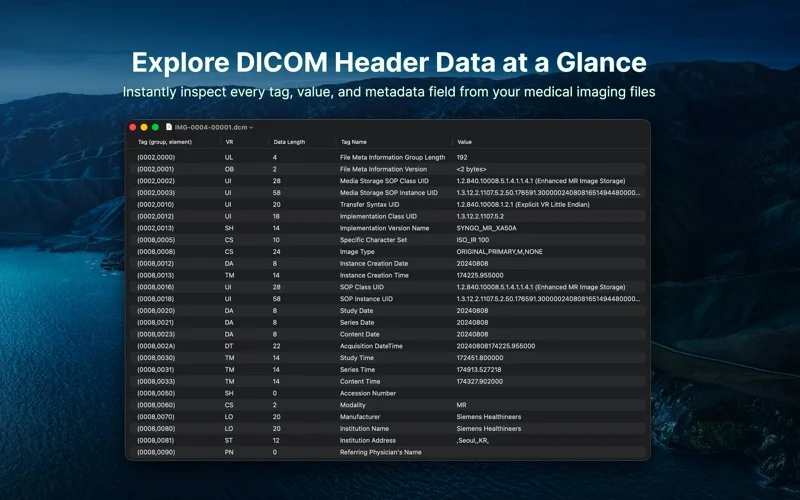
What you can do
- Open DICOM files
- Browse header attributes
- Copy selected attribute text to clipboard
Good for
- Researchers using properly authorized/de-identified files
Consider alternatives for
- Medical image interpretation or automatic de-identification
Limitations & considerations
- Captured minimum: macOS 26.0.
- Does not display pixels/images and is explicitly not diagnostic. Viewing/copying is not anonymization or validity certification.
Privacy & permissions
Patient Name/UID fields and clipboard history can expose identifiers; use permitted files, clear sensitive copies and restrict device/cloud access.
Sources & review notes Updated Nov 15, 2026
Reviewed by iApp4Me Editorial Team. Recommendations use the linked documentation and attributed accounts; device observations are identified separately.
- US App Store developer description
Complete description, release notes, download price and compatibility metadata captured 2026-11-02.
No comments yet. Be the first to share your experience.