
Diktator: Voice to Text
Dictate and optionally translate text with local models, using a keyboard on iPhone/iPad and a separate set of Mac text-delivery workflows.
Typing less in notes, messages and other writing apps
Consider Diktator for dictation into an existing writing workflow rather than a meeting transcription service. Choose the edition first: the direct Mac build, Mac App Store adaptation and iPhone/iPad keyboard have different insertion paths and licensing.
Keep in mind: No recognition accuracy, insertion, permission or cross-device test was performed.
Inside the app
Official product images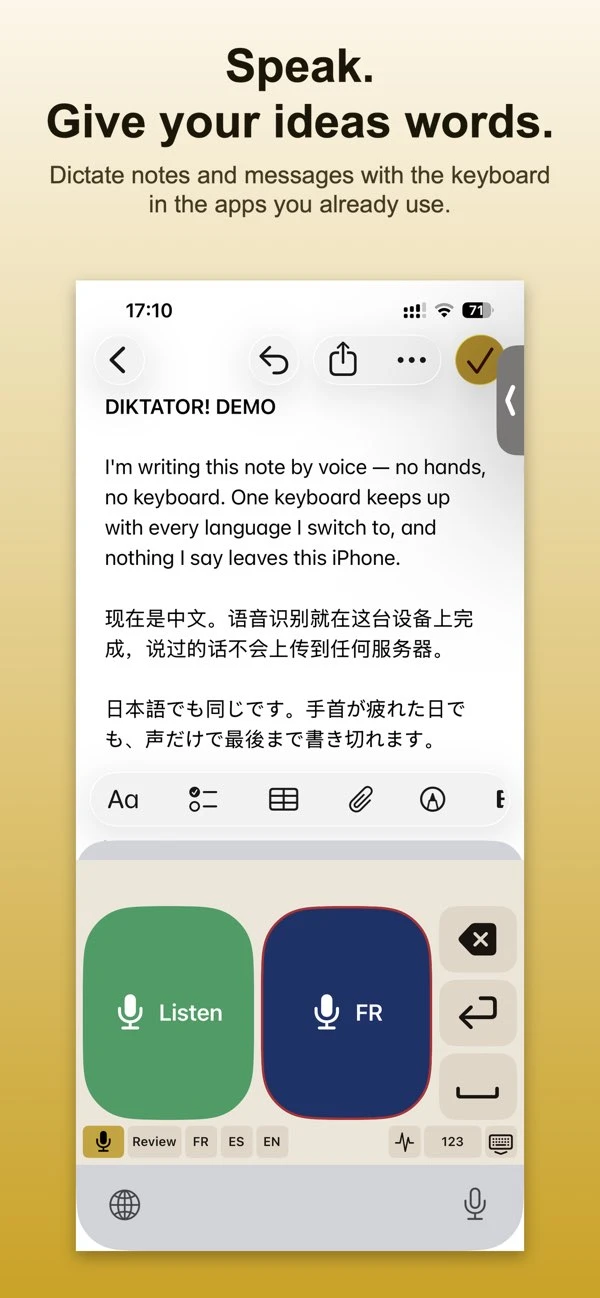

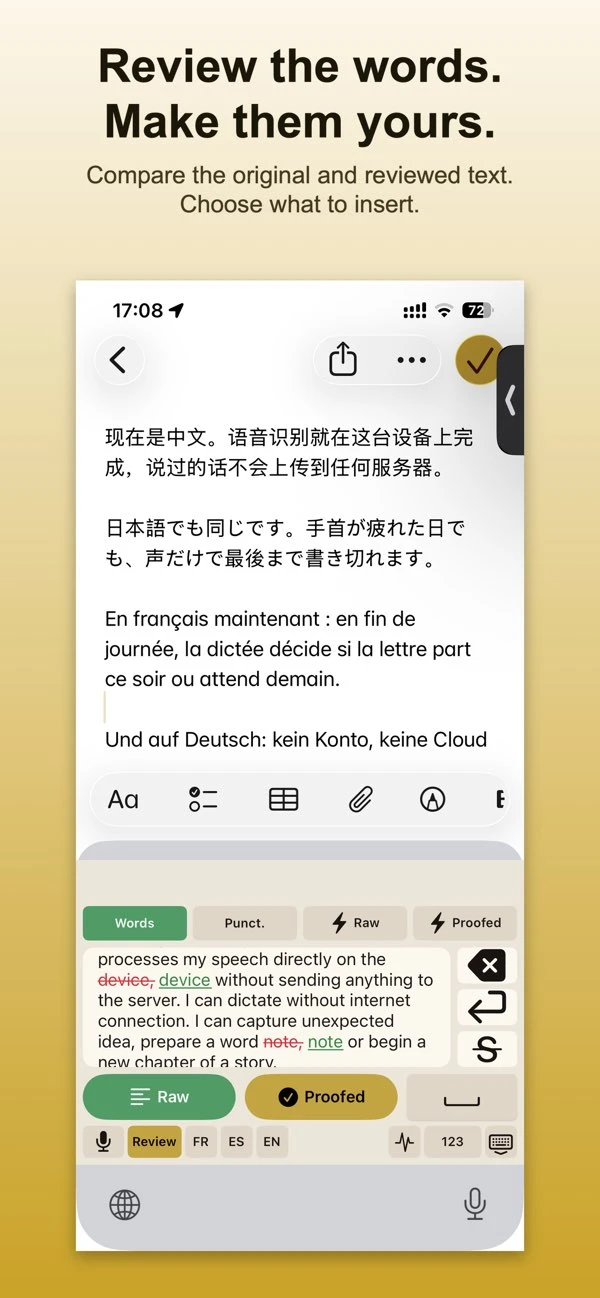

What you can do
- Dictate and translate with downloaded on-device speech models
- Use the iPhone/iPad keyboard to return text to a writing app
- Review original and revised text with the applicable Pro proofreading tools
- Use edition-specific Mac hotkeys and delivery methods described in the developer guide
Good for
- Typing less in notes, messages and other writing apps
- Comparing local dictation workflows across Apple devices
Consider alternatives for
- Assuming Direct Mac features are identical in the iOS keyboard or sandboxed Mac edition
- A dedicated meeting recorder or a guarantee of exact names and quotations
Choose the edition before following a shortcut
The submitted guide describes Direct Mac hotkeys, automatic typing, clipboard and other delivery paths. The Mac App Store adaptation uses a different Services/copy workflow for some operations. The iPhone/iPad listing describes a keyboard, not those Mac hotkeys.
Keep proofreading under review
The guide recommends checking names, quotations and poetry before inserting revised text. Compare original and proofread output rather than treating cleanup as an exact transcription. The screenshots here illustrate the iPhone keyboard, not the direct Mac app.
Limitations & considerations
- No recognition accuracy, insertion, permission or cross-device test was performed.
- The current iPhone/iPad listing is 2.3.3 and requires iOS/iPadOS 26. The submitted Direct Mac guide describes 2.3.1; this is not one tested build.
- Mac website licenses and App Store purchases remain separate; do not infer that one purchase unlocks every distribution channel.
Privacy & permissions
The publisher describes local speech and model translation. Model downloads, licensing, updates and optional email restoration still make network requests; Apple Translation has separately described usage/performance processing.
The iPhone keyboard requires Full Access for the documented workflow. Optional diagnostics may include technical details and, in some existing versions, short text excerpts; review a report before sending it.
Privacy policySources & review notes Updated Nov 8, 2026
Reviewed by iApp4Me Editorial Team. Recommendations use the linked documentation and attributed accounts; device observations are identified separately.
- Submitted developer guide
Developer-submitted source; not an independent product test.
- US App Store listing
Current version, compatibility, declared privacy and listed purchases checked November 8, 2026.
- Product privacy policy
Publisher disclosure; not an independent network or security audit.
- Diktator current editions and licensing
Direct versus App Store distribution, separate licenses and platform-specific workflows.
No comments yet. Be the first to share your experience.