Documents for Dropbox
Access Dropbox files through a third-party client with transfers, sharing and pinned folders.
An authorized Dropbox user comparing an independent client.
Access Dropbox files through a third-party client with transfers, sharing and pinned folders.
Keep in mind: The publisher disclaims Dropbox affiliation. API/office compatibility and file deletion behavior were not tested; retain backups.
Inside the app
Official product images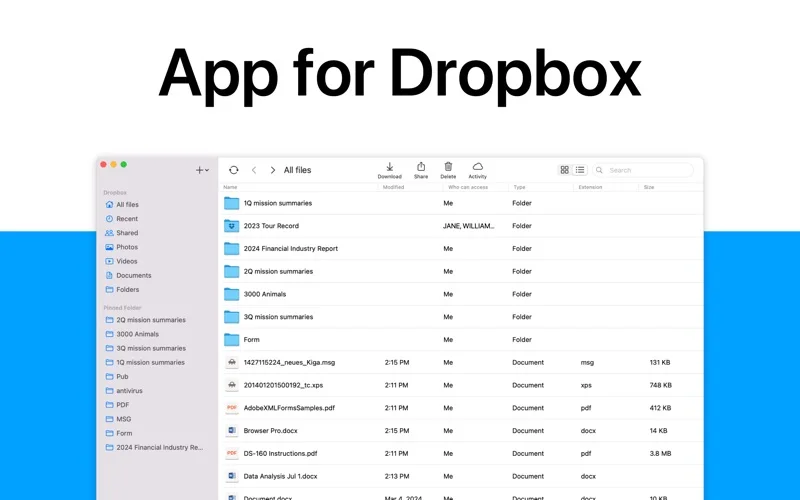
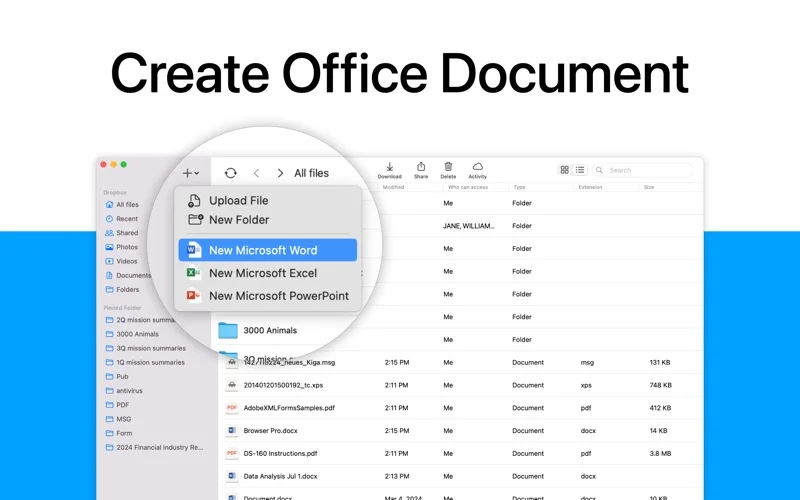
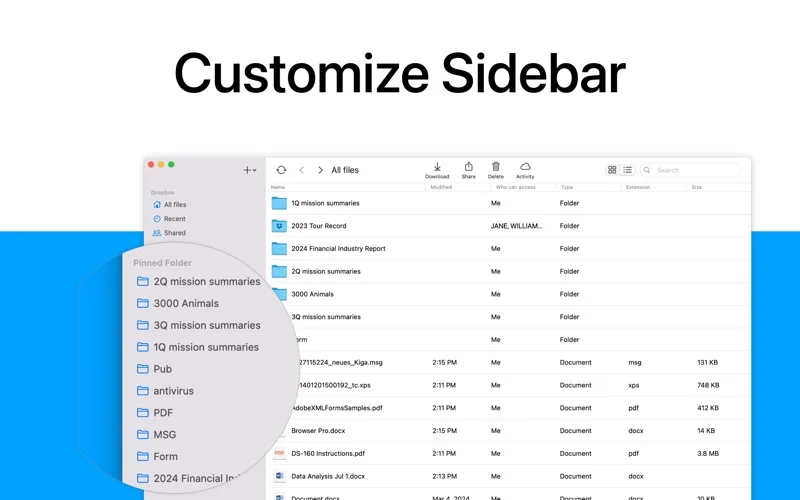
What you can do
- Create/manage folders and upload/download files.
- Pin locations in a sidebar.
- Use supported online office-document creation.
Good for
- An authorized Dropbox user comparing an independent client.
Consider alternatives for
- The official Dropbox app or an included Microsoft/Dropbox subscription.
Limitations & considerations
- The publisher disclaims Dropbox affiliation. API/office compatibility and file deletion behavior were not tested; retain backups.
Privacy & permissions
Cloud tokens and files are sensitive. The provider policy covers account/device/usage data and service providers; review requested access and share links.
Privacy policySources & review notes Updated Nov 19, 2026
Reviewed by iApp4Me Editorial Team. Recommendations use the linked documentation and attributed accounts; device observations are identified separately.
- US App Store listing
Full publisher description, version and US download price captured 2026-11-02; source-based coverage, not a device test.
- Provider privacy overview
Full short cached policy read; specific platform behavior not audited.
No comments yet. Be the first to share your experience.