Docusign - Upload & Sign Docs
Electronic signing and agreement routing with free recipient signing and plan-dependent sending workflows.
Separate signing your own documents from requesting signatures
Unlimited free signing is useful for recipients, while tags, signer order and notifications support outgoing agreements.
Keep in mind: Sending limits and advanced fields depend on the paid plan; a signature platform does not make every document suitable for every legal transaction.
Inside the app
Official product images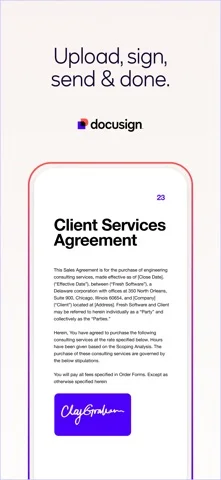

What you can do
- Import documents or scan photos.
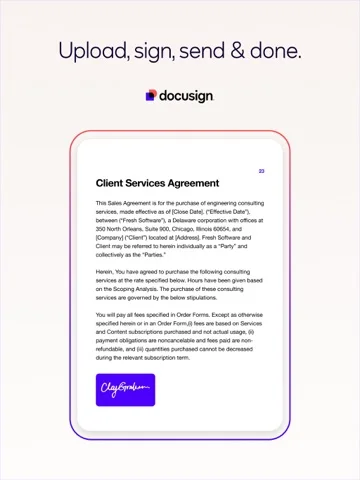
- Create a signature and sign supported files.
- Prepare signing fields and order recipients.
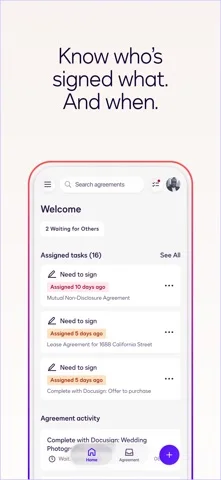
- Track signatures, send reminders or void requests.
Good for
- Individuals signing received documents and teams comparing agreement workflows.
Consider alternatives for
- Anyone expecting unlimited free outgoing envelopes or a full PDF layout editor.
Limitations & considerations
- Captured minimum: iOS 17.0.
- The captured Personal plan allows up to five sent documents monthly.
- Legal applicability depends on document and jurisdiction; security claims are developer disclosures.
Privacy & permissions
Uploaded agreements, signer details and audit events enter a cloud signing workflow. Verify recipients and avoid exposing unrelated sensitive pages.
Privacy policySources & review notes Updated Nov 8, 2026
Reviewed by iApp4Me Editorial Team. Recommendations use the linked documentation and attributed accounts; device observations are identified separately.
- US App Store developer description
Complete description, download price and compatibility metadata captured 2026-11-02.
- Docusign privacy reference
Developer-linked reference.
No comments yet. Be the first to share your experience.