
Music
Dorico - Compose Music
Dorico for iPad writes notation, edits playback and exports scores through distinct composition modes.
Consider after testing the intended ensemble and file workflow
Notation, MIDI editing and PDF/MusicXML output connect composition with rehearsal.
Keep in mind: Best-engraving and full-compatibility claims require checking complex projects; advanced engraving and plug-in/device access have separate paid entitlements.
Inside the app
Official product images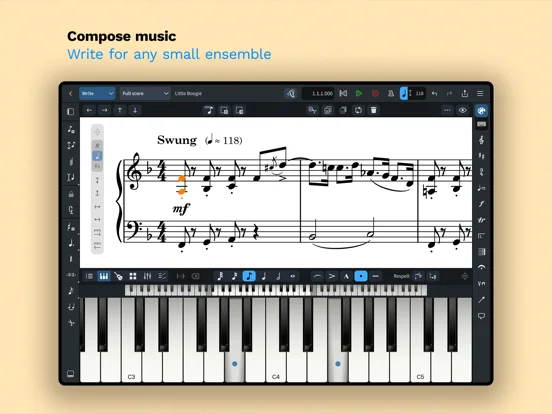
What you can do
- Enter and edit music with supported input
- Play back and adjust MIDI
- Export scores or use entitled Engrave/plug-in tools
Good for
- Composers comparing an iPad notation workflow
Consider alternatives for
- Users expecting all desktop features or unlimited ensembles free
Limitations & considerations
- Captured minimum: iOS 17.
- Best-engraving and full-compatibility claims require checking complex projects; advanced engraving and plug-in/device access have separate paid entitlements.
Privacy & permissions
Steinberg registration and shared score/audio files can identify creative work; inspect account and export destinations.
Sources & review notes Updated Nov 11, 2026
Reviewed by iApp4Me Editorial Team. Recommendations use the linked documentation and attributed accounts; device observations are identified separately.
- US App Store developer description
Complete description, download price and compatibility metadata captured 2026-11-02.
No comments yet. Be the first to share your experience.