Graphics & Design
Drawing Pad -
Drawing Pad combines doodling, sketching, photo decoration and coloring pages with brushes, palettes and drawing-process video capture.
Consider for casual drawing across several creative modes
Separate sketch and photo workspaces provide different starting points.
Keep in mind: Premium features require subscription; Apple Pencil behavior depends on compatible hardware, and printing artwork on physical products involves separate fulfillment or purchase conditions.
Inside the app
Official product images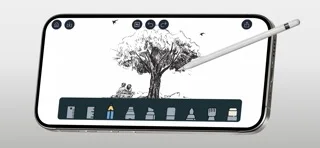
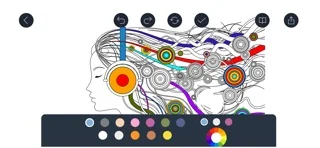

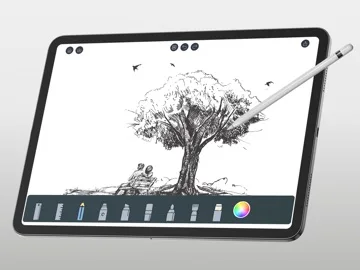
What you can do
- Sketch with brushes and eraser controls
- Decorate photos or color supplied pages
- Record and share a drawing process
Good for
- Users enjoying casual art and coloring
Consider alternatives for
- Users needing a professional print-production or vector-design suite
Limitations & considerations
- Captured minimum: iOS 17.0.
- Premium features require subscription; Apple Pencil behavior depends on compatible hardware, and printing artwork on physical products involves separate fulfillment or purchase conditions.
Privacy & permissions
Drawings and imported photos may be private; supervise children’s social sharing and photo access.
Sources & review notes Updated Nov 10, 2026
Reviewed by iApp4Me Editorial Team. Recommendations use the linked documentation and attributed accounts; device observations are identified separately.
- US App Store developer description
Complete description, download price and compatibility metadata captured 2026-11-02.
No comments yet. Be the first to share your experience.