Photo & Video
Dubtake Video Dubbing
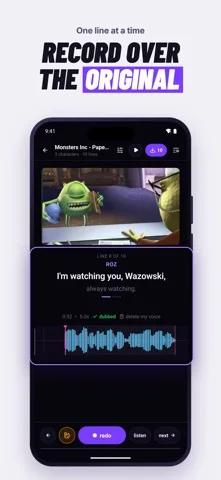
DubTake records replacement voice lines over an imported video and aligns them with the original dialogue timing.
Choose for line-by-line dubbing practice and short social clips.
Waveforms, cue marks and repeat takes make timing visible while keeping the video's background sound in the described mix.
Keep in mind: Automatic separation and scores do not guarantee clean audio or professionally validated performance judgments.
Inside the app
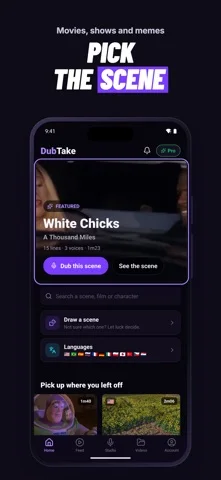
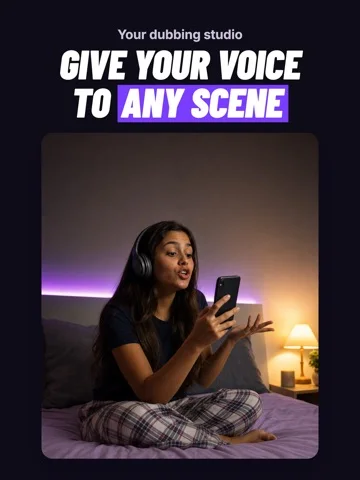
Official product images
What you can do
- Import a camera-roll video
- Record and redo individual lines
- Compare original and recorded waveforms
- Apply thirteen voice effects
- Export vertical 1080-by-1920 video
Good for
- Creators practicing short voice performances
Consider alternatives for
- Users needing a full professional post-production suite
Limitations & considerations
- Captured minimum: iOS 16.4.
- Automatic separation and scores do not guarantee clean audio or professionally validated performance judgments.
Privacy & permissions
The developer describes splitting, recording and mixing on-device; exported clips and voices still require appropriate consent and media rights.
Sources & review notes Updated Nov 11, 2026
Reviewed by iApp4Me Editorial Team. Recommendations use the linked documentation and attributed accounts; device observations are identified separately.
- US App Store developer description
Complete description, download price and compatibility metadata captured 2026-11-02.
No comments yet. Be the first to share your experience.