Productivity
Due - Reminders & Timers
Due schedules persistent reminders and countdown timers with quick postponement and optional cross-device sync.
Consider after testing the needed alert mode
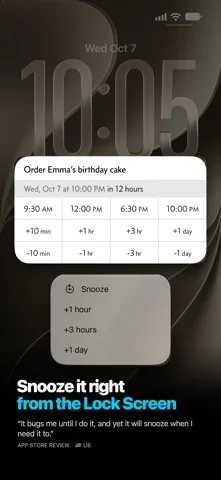
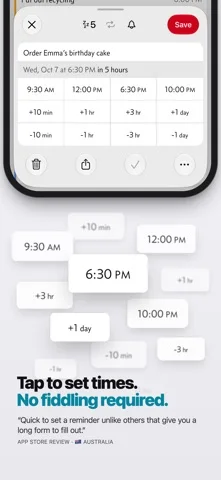
Custom quick times and date parsing reduce repeated entry.
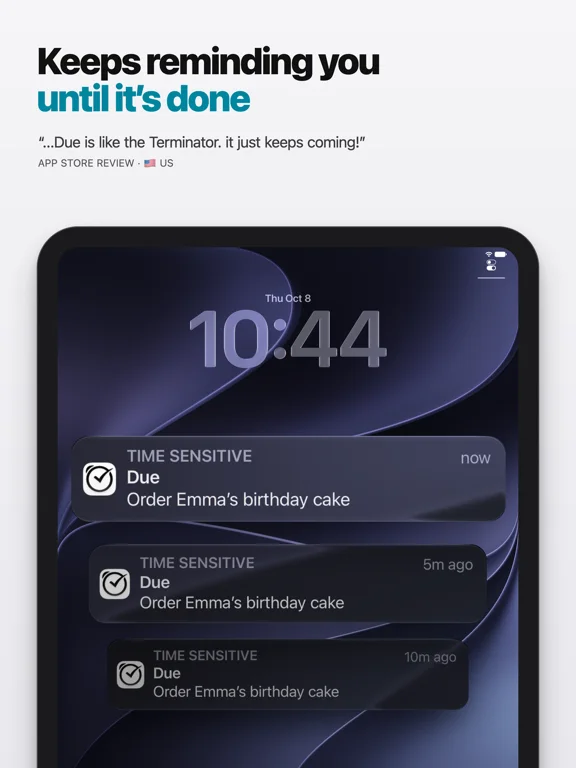
Keep in mind: Default auto-snooze repeats five times, configurable up to ten; indefinite repeats require opening/acting on Due. Critical/Prominent alerts need permissions/OS support and no reminder is impossible to miss.
Inside the app
Official product images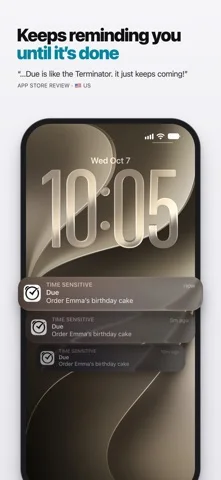
What you can do
- Create recurring/date-parsed reminders
- Run named timers and snooze
- Use eligible widgets/Watch and iCloud/Dropbox sync
Good for
- Users testing alerts with a backup for critical tasks
Consider alternatives for
- Users expecting unlimited unattended repeats or Mac licence included
Limitations & considerations
- Captured minimum: iOS 18.0.
- Default auto-snooze repeats five times, configurable up to ten; indefinite repeats require opening/acting on Due. Critical/Prominent alerts need permissions/OS support and no reminder is impossible to miss.
Privacy & permissions
Publisher says no app account/access to reminders; selected cloud backups and visible alerts still need privacy controls.
Sources & review notes Updated Nov 11, 2026
Reviewed by iApp4Me Editorial Team. Recommendations use the linked documentation and attributed accounts; device observations are identified separately.
- US App Store developer description
Complete description, download price and compatibility metadata captured 2026-11-02.
No comments yet. Be the first to share your experience.