
Expenses: Spending Tracker
Expenses records income/spending, scans receipts and shares selected tracking sheets through iCloud.
Consider after checking a sample receipt and CSV round trip
Categories, merchants and trends connect entry with later review.
Keep in mind: Receipt recognition, currency rates and shared edits can be wrong; charts do not automatically reconcile bank accounts or guarantee savings. No-app-signup still uses the chosen Apple/iCloud environment.
Inside the app
Official product images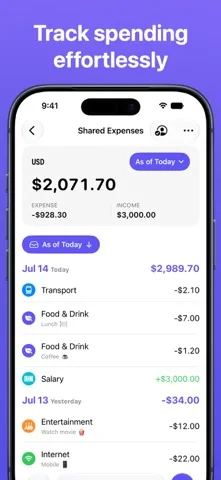
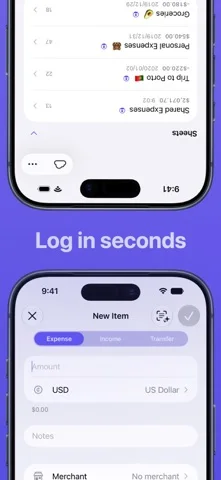
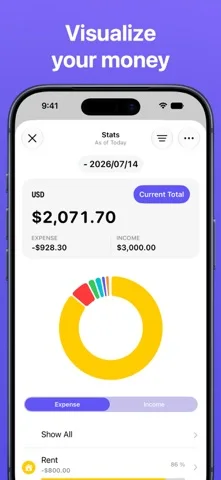
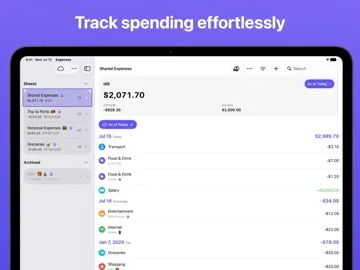
What you can do
- Enter transactions or scan receipts
- Organize category/merchant views
- Import/export CSV and share entitled sheets
Good for
- Users willing to verify records and sync permissions
Consider alternatives for
- Users expecting certified bookkeeping or automatic bank reconciliation
Limitations & considerations
- Captured minimum: iOS 16.0.
- Receipt recognition, currency rates and shared edits can be wrong; charts do not automatically reconcile bank accounts or guarantee savings. No-app-signup still uses the chosen Apple/iCloud environment.
Privacy & permissions
Publisher says no personal collection and local/iCloud storage; shared sheets, receipts and account destinations can expose finances, so control invitations.
Sources & review notes Updated Nov 11, 2026
Reviewed by iApp4Me Editorial Team. Recommendations use the linked documentation and attributed accounts; device observations are identified separately.
- US App Store developer description
Complete description, download price and compatibility metadata captured 2026-11-02.
No comments yet. Be the first to share your experience.