
FireShot: Web Page Screenshots
FireShot captures full web pages in Safari and exports images or searchable PDFs with links.
Choose it for preserving page references, receipts or a reproducible visual record.
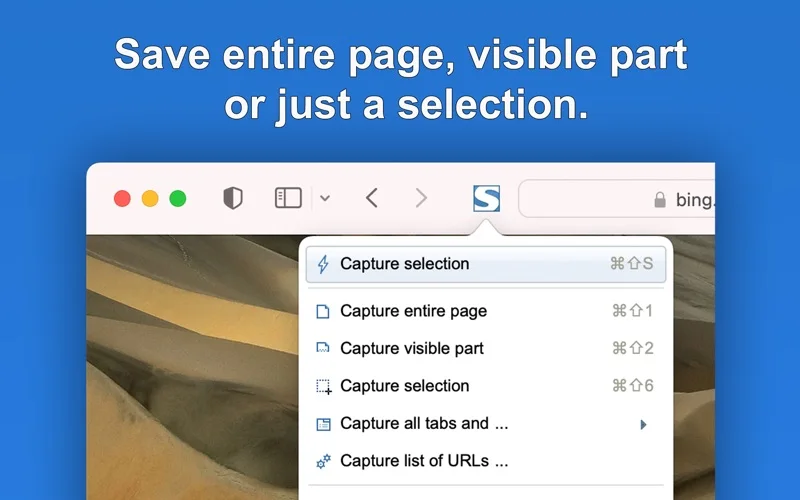
Full-page, selection and tab capture cover more than a normal screenshot of the visible window.
Keep in mind: Dynamic pages, protected content and the chosen browser edition can affect results; the general FireShot Pro website includes features that may differ from the Safari build.
Inside the app
Official product images
What you can do
- Capture full pages, visible areas or selections
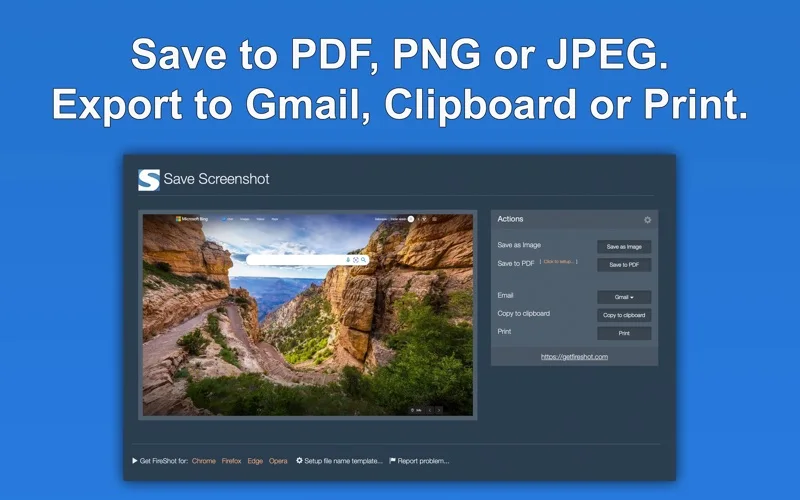
- Export PNG, JPEG or PDF with searchable text and links
- Capture tabs and organize saved captures in History
Good for
- Safari users regularly archiving or documenting web pages.
Consider alternatives for
- Users expecting a complete offline website copy or guaranteed capture of protected media.
Limitations & considerations
- Captured minimum: macOS 10.14.6.
- Dynamic pages, protected content and the chosen browser edition can affect results; the general FireShot Pro website includes features that may differ from the Safari build.
Privacy & permissions
The developer says captures are created locally; emailing, uploading or sharing them can still reveal signed-in content, so inspect the captured page before sending.
Sources & review notes Updated Nov 15, 2026
Reviewed by iApp4Me Editorial Team. Recommendations use the linked documentation and attributed accounts; device observations are identified separately.
- US App Store developer description
Complete description, release notes, download price and compatibility metadata captured 2026-11-02.
- Official developer disclosure
Official product text captured 2026-11-13 read, with saved listing and release notes. Pricing, platform and edition differences are stated explicitly; matching previously read catalogue evidence reused.
No comments yet. Be the first to share your experience.