
Front and Center
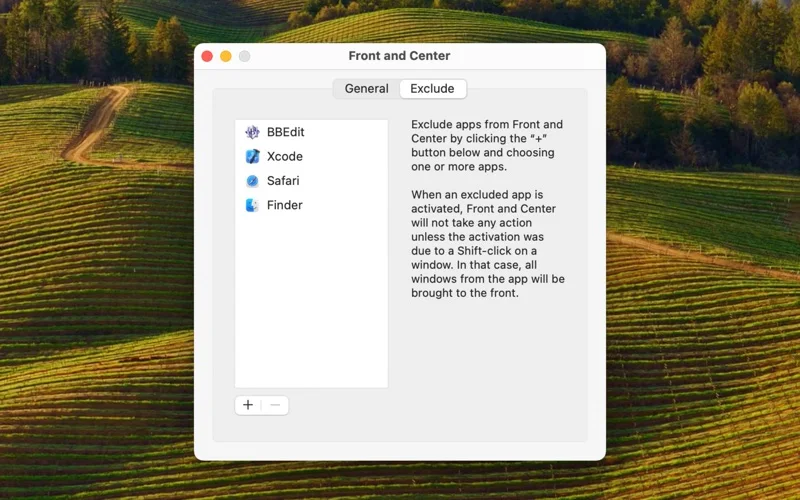
Choose whether clicking a Mac window brings forward that window or all windows belonging to its app.
A Mac user who prefers an explicit choice of window-stacking behavior.
Choose whether clicking a Mac window brings forward that window or all windows belonging to its app.
Keep in mind: This changes layering rather than resizing or arranging windows. Compatibility with special windows, full-screen spaces and current macOS releases was not tested.
Inside the app
Official product images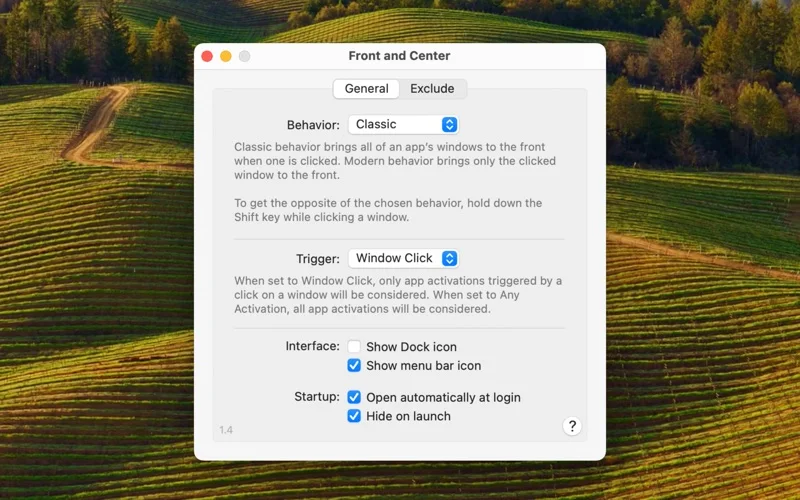
What you can do
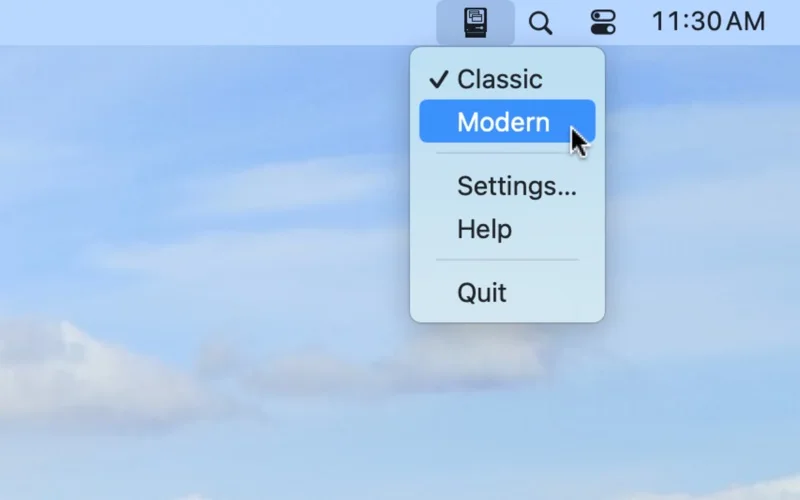
- Use Classic mode to raise the clicked app’s windows together.
- Use Modern mode to raise only the clicked window.
- Shift-click to temporarily invert the selected behavior.
Good for
- A Mac user who prefers an explicit choice of window-stacking behavior.
Consider alternatives for
- A full window tiling system or guaranteed behavior in every app.
Limitations & considerations
- This changes layering rather than resizing or arranging windows. Compatibility with special windows, full-screen spaces and current macOS releases was not tested.
Privacy & permissions
Window-interaction utilities may need system permissions. Review the actual requested access and store disclosure; screen recording or key-content collection is not established by the listing.
Sources & review notes Updated Nov 18, 2026
Reviewed by iApp4Me Editorial Team. Recommendations use the linked documentation and attributed accounts; device observations are identified separately.
- US App Store listing
Publisher description, version and US download price captured 2026-11-02; source-based coverage, not a device test.
No comments yet. Be the first to share your experience.