Google Docs
Create and edit documents, comment with collaborators and work with supported Microsoft Word files through Google Docs.
Keep a shared draft open to the right collaborators
Google Docs suits people who want real-time editing and comments across mobile and web, particularly when collaborators already use Google accounts.
Keep in mind: Sharing permissions and cloud processing are part of the workflow. Workspace AI and premium tools depend on the account and plan; mobile support should be checked for the particular task.
Inside the app
Official product images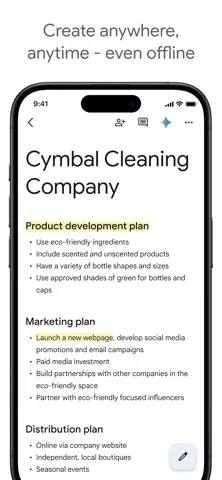
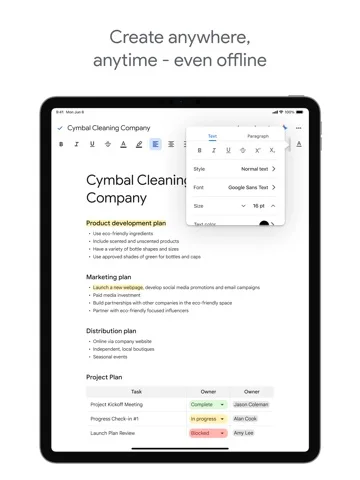
What you can do
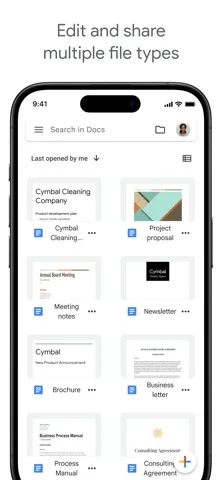
- Create documents and begin from available templates.
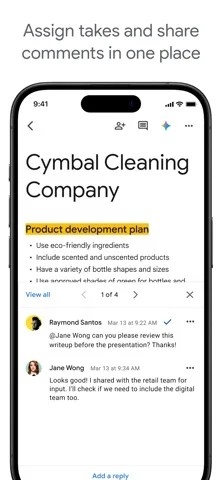
- Edit and comment alongside collaborators in real time.
- Share documents with viewer, commenter or editor access.
- Open and edit supported Microsoft Word documents.
- Use the app’s offline mode for available documents.
- Convert or export supported files and use eligible Workspace writing features.
Good for
- Teams or classmates editing a shared document and discussing changes.
- People moving between phone, tablet and a web-based document workflow.
Consider alternatives for
- Keeping all document content solely on the device.
- Assuming every Workspace or desktop-web feature is available in the free mobile app.
Limitations & considerations
- Check each document’s sharing permissions before including sensitive information.
- Prepare the files you need before going offline and check that they are available on the device; offline editing does not imply every cloud feature works without a connection.
- Gemini and other premium capabilities depend on the plan and account. Check the mobile workflow and exported formatting for the document you need to deliver.
Privacy & permissions
Google’s policy covers account information, created documents, device identifiers and service activity. Review document access and account privacy settings. Its policy says content from Drive is not used to personalize ads; this is not a claim that no service data is processed.
Privacy policySources & review notes Updated Nov 6, 2026
Reviewed by iApp4Me Editorial Team. Recommendations use the linked documentation and attributed accounts; device observations are identified separately.
- US App Store listing
Complete developer description and version metadata captured 2026-11-02; official images cached locally.
- Google Docs official product and account FAQ
Official source consulted 2026-11-06.
- Google Workspace pricing and feature comparison
Official source consulted 2026-11-06.
- Google privacy policy
Official source consulted 2026-11-06.
No comments yet. Be the first to share your experience.