Google Drive
Store and organize files, scan paper documents and share access across devices, with optional storage and Workspace features.
Share a file with the access level it needs
Drive suits people using Google accounts who want a common place for uploaded documents, camera scans and permission-controlled sharing.
Keep in mind: The included quota is shared with Gmail and Google Photos. Workspace-only collaboration, AI and signature features depend on the plan and account.
Inside the app
Official product images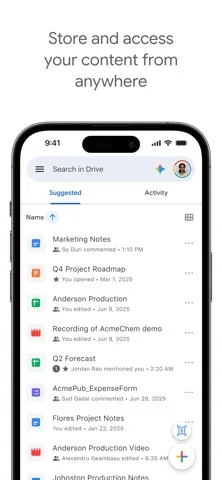
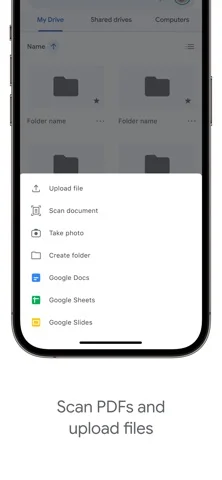
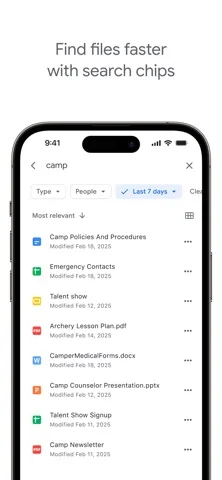
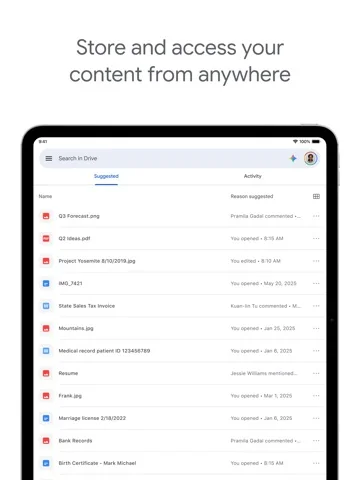
What you can do
- Upload, organize and access supported files and folders.
- Scan paper documents using the device camera.
- Search by file name or content and filter the results.
- Share files and folders with selected permissions.
- Keep supported content available offline and receive file activity notifications.
- Use eligible Workspace shared drives, AI tools or eSignature workflows.
App Store review themes
Recurring praise and complaints, grouped by topic.
50 reviews · US App Store · Written feedback; review platforms are not identified
What reviewers like
Importing, exporting and sharing
3 reviewsPositive feedback covers external collaboration (1 review); file sharing (1 review); photo sharing (1 review).
See 2 review examples
The reviewer values Drive for sharing photos and daily work.
Original excerpt“I utilize it most for photo sharing”Apple source · Review 14743945121
The reviewer appreciates sharing video-project files with a friend.
Original excerpt“I can easily share files with him through shared albums.”Apple source · Review 14736032370
What reviewers dislike
Workflow and interface friction
4 reviewsConcerns and requests cover learning curve (3 reviews); upload steps (1 review).
See 2 review examples
Despite general enjoyment, the reviewer finds the app somewhat complicated to use.
Original excerpt“es un poco complicado de usar”Apple source · Review 14745985936
The reviewer finds the app difficult to learn and use.
Original excerpt“Difficult to figure out and use”Apple source · Review 14745248626
Good for
- Sharing documents among collaborators using Google accounts.
- Keeping scans and recent files accessible across devices.
Consider alternatives for
- Keeping all file content exclusively on the device.
- Assuming the free quota is additional to Gmail and Google Photos storage.
Limitations & considerations
- The included 15 GB is shared across Drive, Gmail and Google Photos.
- Document editing and available operations depend on file type and the associated editor.
- Offline access requires preparing the relevant content; paid Workspace features are not universal free-app entitlements.
Privacy & permissions
Google’s policy covers uploaded content, account information, device identifiers and service activity. Organization administrators can have access and controls over managed accounts. Check each file’s sharing permissions; the policy says Drive content is not used for personalized ads.
Privacy policySources & review notes Updated Nov 5, 2026
Reviewed by iApp4Me Editorial Team. Recommendations use the linked documentation and attributed accounts; device observations are identified separately.
- US App Store listing
Complete developer description and version metadata captured 2026-11-02; official images cached locally.
- Google One storage plans
Official source consulted 2026-11-05.
- Google privacy policy
Official source consulted 2026-11-05.
No comments yet. Be the first to share your experience.