Google Home
Control compatible smart-home devices, organize home dashboards and review supported camera events, with eligible Gemini for Home features and optional Premium services.
Choose it to manage devices that belong to the Google Home ecosystem
Google Home suits households with compatible connected devices that want shared controls, camera views and automation in one place. Its fit depends on the actual hardware, household permissions and feature availability in your region.
Keep in mind: A free app does not include compatible hardware or every camera-history and AI feature. Gemini for Home rollout, language support and Google Home Premium plan requirements vary, so check the specific capability before buying equipment or a subscription.
Inside the app
Official product images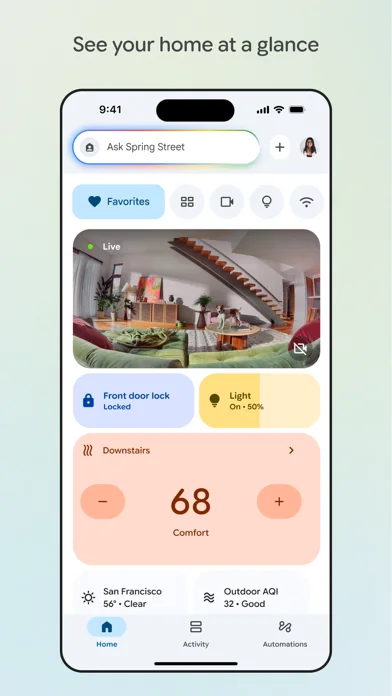
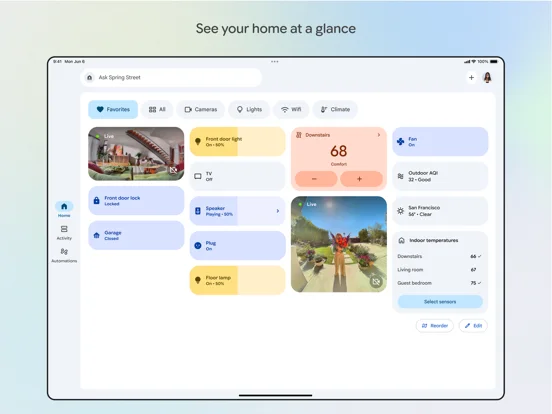
What you can do
- Group supported devices into home dashboards.
- Review compatible camera live views and available event history.
- Control supported home devices and settings.
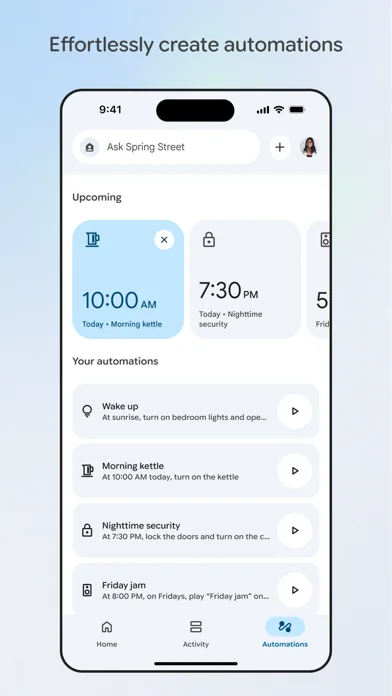
- Use supported home automations.
- Explore eligible Gemini for Home voice and Ask Home features.
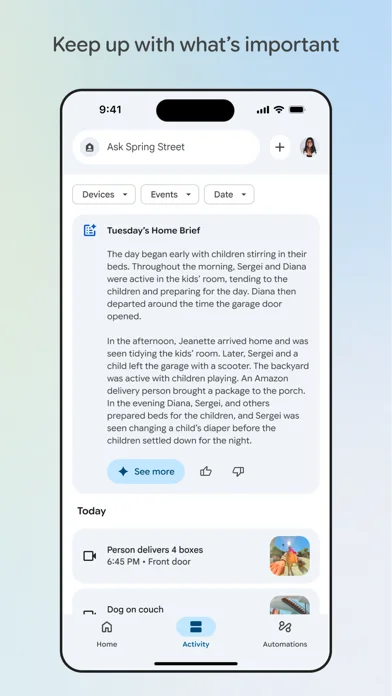
- Use qualifying Premium features such as Help me create, Gemini Live or advanced camera summaries where offered.
Good for
- Households already using compatible Google Home or Nest devices.
- People prepared to manage shared-home permissions and feature-specific settings.
Consider alternatives for
- Expecting every smart-home device to work or all AI features to be available worldwide.
- Expecting the free app to provide unlimited camera history or every Premium feature.
Limitations & considerations
- Compatible devices, Wi-Fi and an internet connection are required for the connected experience.
- Some Gemini features remain in early access; an invitation or separate opt-in can be required.
- Google’s current help distinguishes free features from Standard and Advanced Premium entitlements; do not infer a whole tier’s access from one feature.
- AI camera descriptions, notifications and Home Brief require the Advanced plan in the consulted help article; Help me create requires Premium.
- Shared-home membership can expose controls or camera access to others according to permissions, and changes in linked Nest/Home apps can affect the same home.
- AI responses can be wrong; verify important device actions and information.
Privacy & permissions
Google’s Home/Nest privacy hub describes home/device state, camera and interaction data, household access and separate activity controls. Gemini for Home transcripts can be used for service improvement and AI training when Home History is enabled; turning it off still allows up to 24 hours of storage for operation, security and feedback. Human reviewers may process some interactions, while footage, audio recordings and identifying information require separate consent for the stated review/improvement uses. Review Home History, recording-consent and household sharing settings individually. Its no-training-outside-Google-Home statement does not mean no training within Home.
Sources & review notes Updated Nov 6, 2026
Reviewed by iApp4Me Editorial Team. Recommendations use the linked documentation and attributed accounts; device observations are identified separately.
- US App Store listing
Complete developer description and version metadata captured 2026-11-02; official images cached locally.
- Google Home official overview
Official source consulted 2026-11-06.
- Gemini for Home eligibility and features
Official source consulted 2026-11-06.
- Google Home and Nest privacy hub
Official source consulted 2026-11-06.
No comments yet. Be the first to share your experience.