
Google Photos: Backup & Edit
Back up and organize photos across devices, find memories by descriptive searches and edit images with supported Google AI tools.
Choose it for a searchable photo library across devices
Google Photos suits people who want automatic backup, shared albums and photo search in the same library, especially when their photos span devices and operating systems.
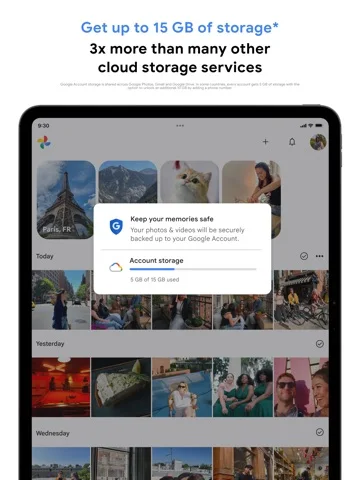
Keep in mind: The included storage is shared with Gmail and Drive. Advanced AI tools have account, age, language, region or device requirements, and backup makes this a cloud service rather than an exclusively local gallery.
Inside the app
Official product images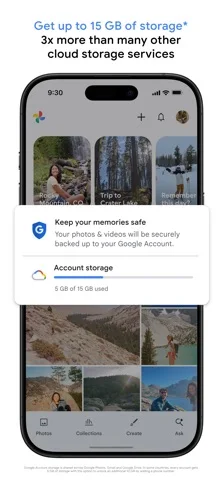
What you can do
- Automatically back up photos and videos to a Google Account when backup is enabled.
- Search by people, places, objects or descriptive phrases using supported features.
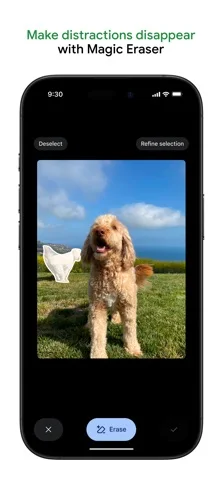
- Use supported tools such as Magic Eraser and Photo Unblur in the mobile app.
- Group similar images and organize albums, screenshots and documents.
- Share individual photos, collaborative albums or selected content with a partner.
- Manage storage and choose between backup quality options.
Good for
- Keeping a common photo library accessible across devices.
- Families or friends who want to contribute to shared albums.
Consider alternatives for
- An exclusively on-device library with no uploaded content.
- Assuming the included storage is separate from Gmail and Drive or that every AI demonstration is available on every iPhone.
Limitations & considerations
- The official product FAQ states that the included 15 GB is shared across Photos, Gmail and Drive.
- Original-quality backups count against storage; check backup quality and available quota before a large upload.
- Advanced search and AI features can require a supported device, language, age and region; some are limited to eligible US adults.
- Review the audience and permissions of shared albums and partner sharing before enabling automatic sharing.
Privacy & permissions
Google’s policy effective October 16, 2026 covers uploaded photos and videos, account information, activity and device data. Photos offers sharing controls, content export and deletion. Google Photos does not use photos and videos for ads itself, but you can choose to make Photos data available to other Google services that support ads; review those cross-service settings as well as album sharing.
Privacy policySources & review notes Updated Nov 6, 2026
Reviewed by iApp4Me Editorial Team. Recommendations use the linked documentation and attributed accounts; device observations are identified separately.
- US App Store listing
Complete developer description and version metadata captured 2026-11-02; official images cached locally.
- Google Photos product overview and FAQ
Official source consulted 2026-11-06.
- Google privacy policy
Official source consulted 2026-11-06.
No comments yet. Be the first to share your experience.