Google Sheets
Create and edit spreadsheets, collaborate on the same file and work with Excel documents from a phone or tablet.
Keep a shared spreadsheet current across the team
Sheets suits shared lists, budgets and trackers when collaborators already use Google accounts and need simultaneous edits rather than emailed file copies.
Keep in mind: The mobile app covers everyday editing, but the broader Workspace website also describes plan-dependent and desktop features. Do not assume every advertised AI or integration feature is included in the free mobile app.
Inside the app
Official product images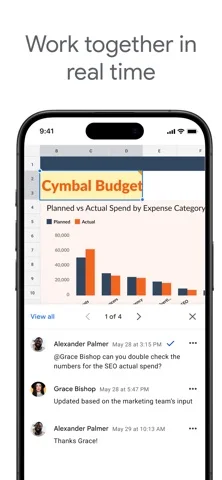
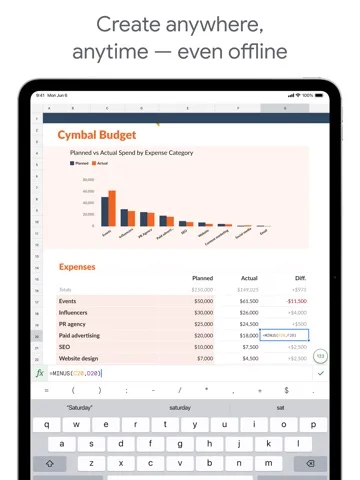
What you can do
- Create spreadsheets and edit existing files.
- Share spreadsheets and collaborate on the same file at the same time.
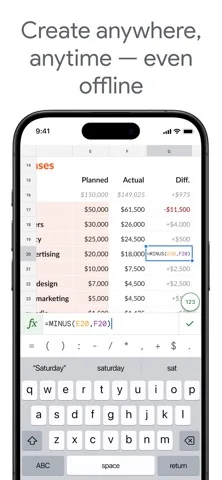
- Format cells, sort data, insert formulas and view charts.
- Find and replace content within a spreadsheet.
- Work offline and save changes automatically.
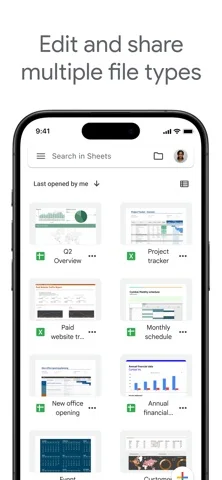
- Open, edit and save supported Excel files.
Good for
- Maintaining shared budgets, inventories and project trackers.
- Editing a team spreadsheet from an iPhone or iPad.
Consider alternatives for
- A workflow that keeps every spreadsheet exclusively on the device.
- Assuming complex Excel workbooks and desktop integrations need no compatibility checks.
Limitations & considerations
- Check an important Excel workbook’s formatting and formulas after editing; the ability to open Excel files is not a guarantee of complete feature parity.
- Advanced Workspace integrations, AI and enterprise controls depend on the account and plan; website capabilities are not a complete mobile feature list.
- Review collaborator permissions before sharing sensitive worksheets.
Privacy & permissions
Google’s October 16, 2026 policy covers spreadsheet content, account information, device identifiers and service activity. Managed-account administrators can access and retain account data. Account controls support export and deletion. Drive content is not used for personalized ads unless you choose to make it available to another Google service supporting personalized ads; review those cross-service settings as well as file permissions.
Privacy policySources & review notes Updated Nov 6, 2026
Reviewed by iApp4Me Editorial Team. Recommendations use the linked documentation and attributed accounts; device observations are identified separately.
- US App Store listing
Complete developer description and version metadata captured 2026-11-02; official images cached locally.
- Google Sheets product and account FAQ
Official source consulted 2026-11-06.
- Google privacy policy
Official source consulted 2026-11-06.
No comments yet. Be the first to share your experience.