
HakoRobo: AI App Organizer
Turn a screenshot or screen recording of your iPhone App Library into groups of apps that you can open from Home Screen widgets.
iPhone users who want one-tap access to a handful of related apps
Start with a small box for a specific purpose, such as travel. Import the App Library, check the names the app recognised, then choose which apps to show in the widget. Keyword sorting is available on the free tier.
Keep in mind: Groups live inside HakoRobo. The app leaves Apple’s own Home Screen layout and App Library folders as they are. Some app links may need a Shortcut or open through the App Store.
Inside the app
Official product images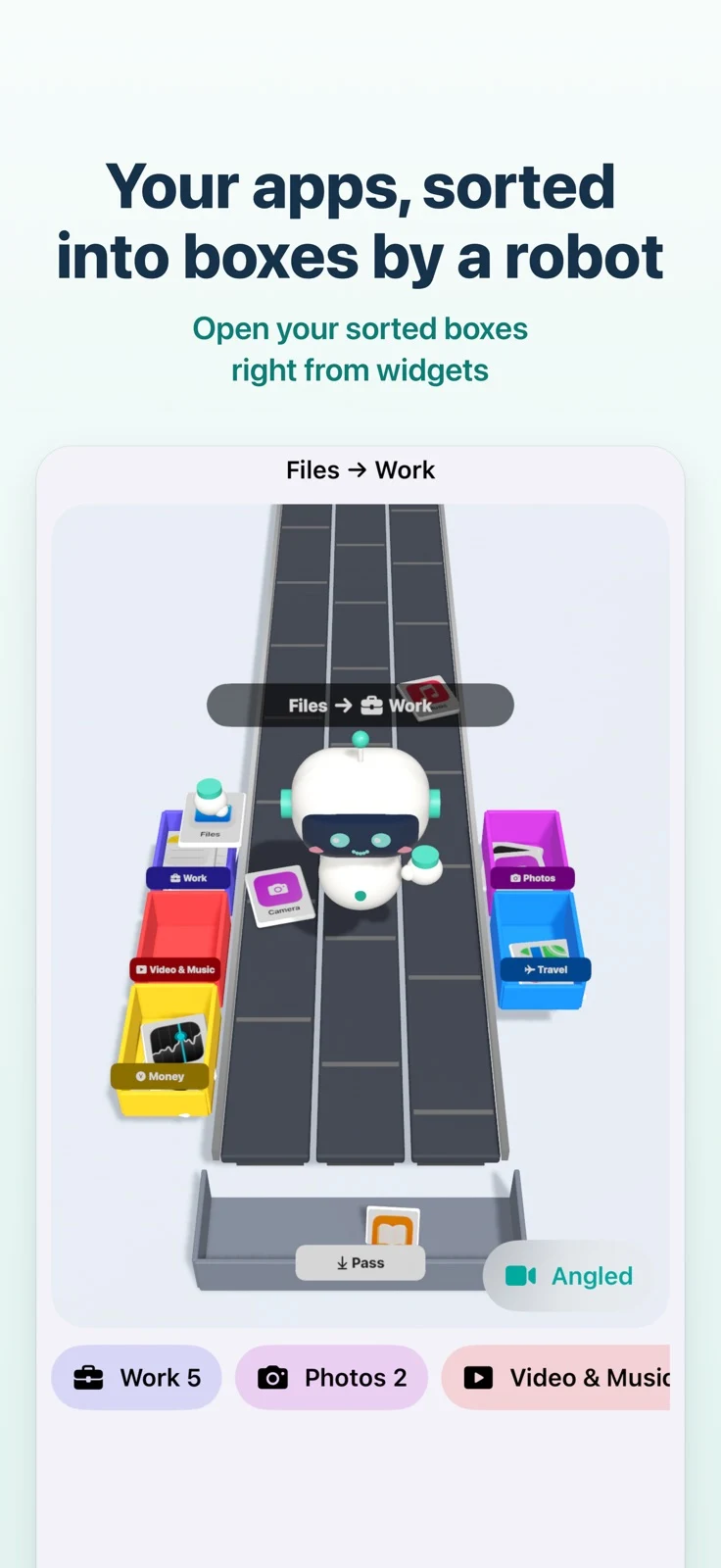

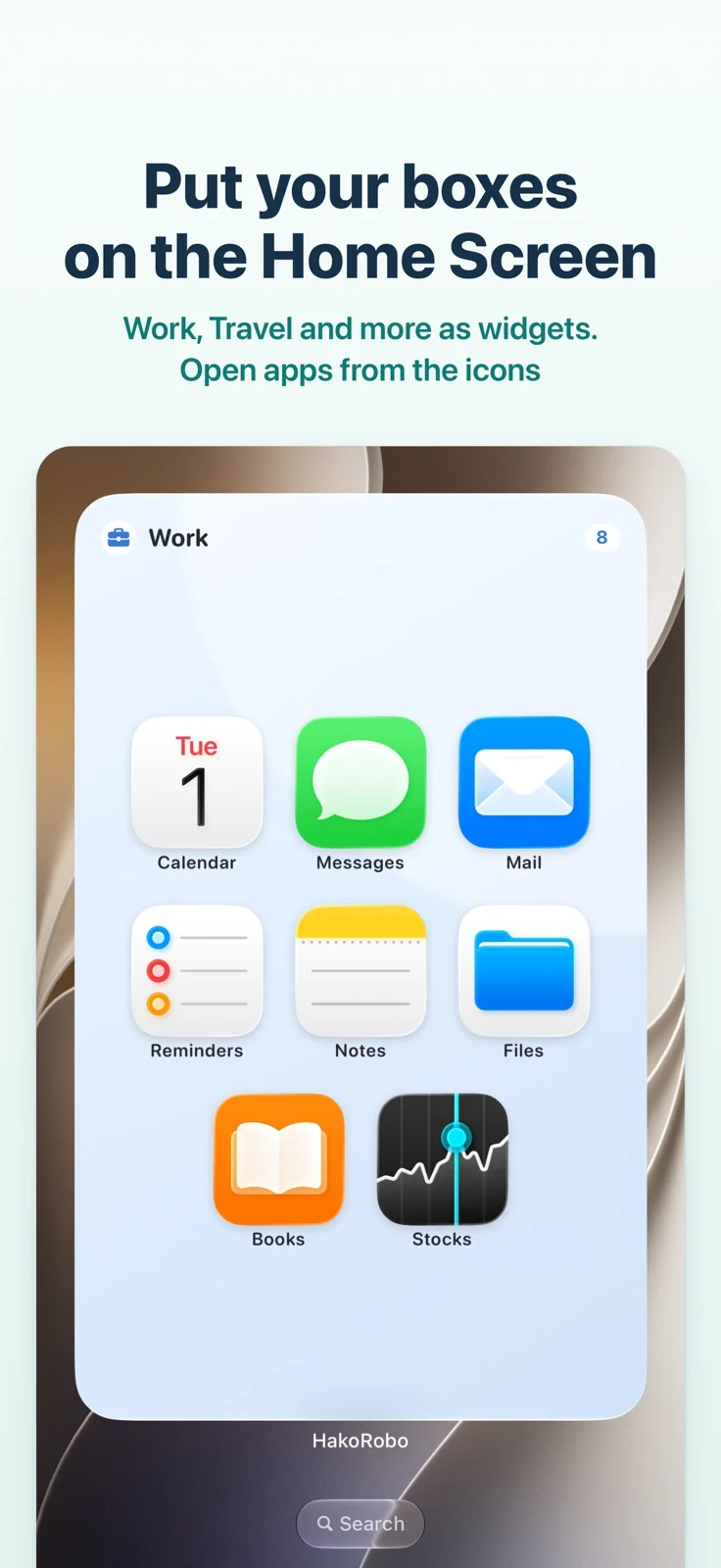

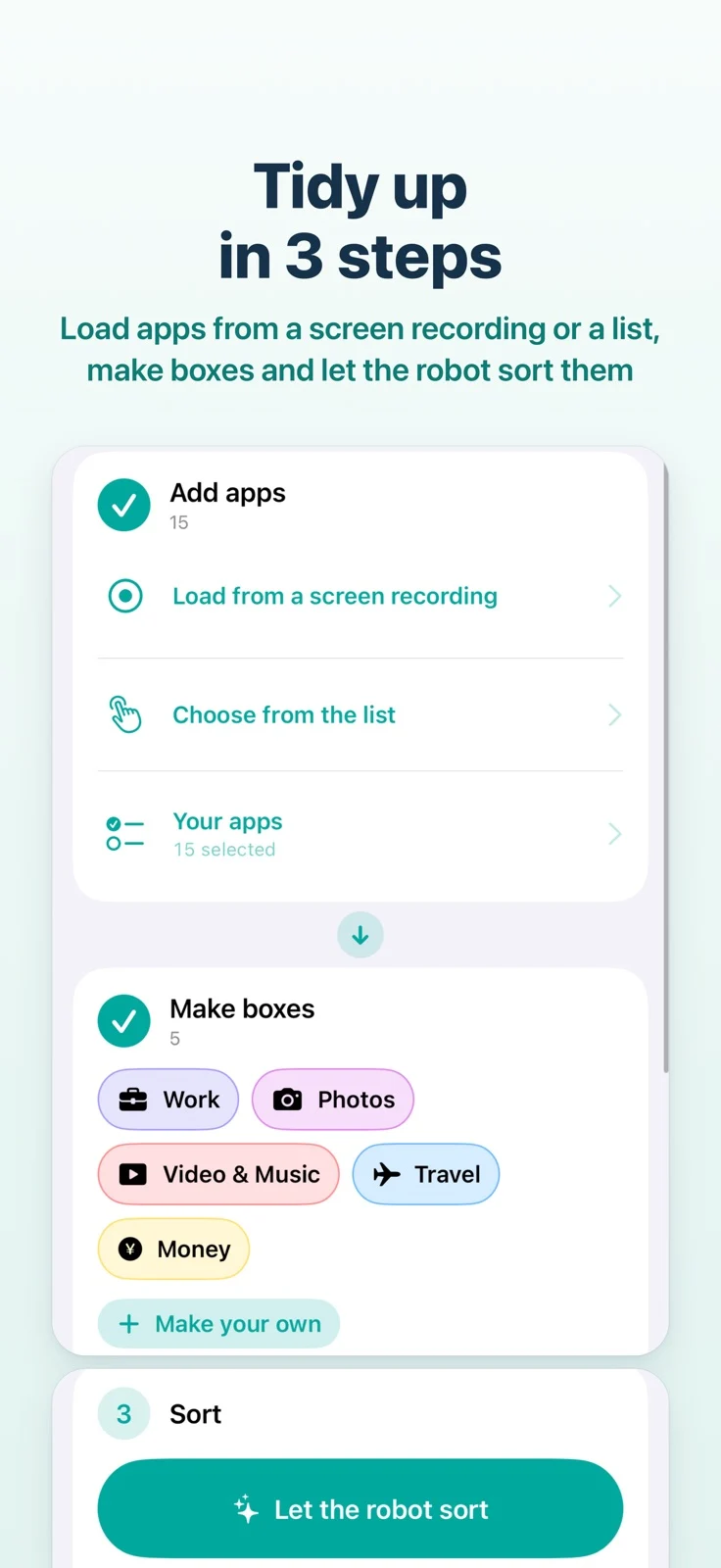

What you can do
- Identify apps from an App Library screenshot or screen recording
- Create and adjust groups for work, travel or other purposes
- Put selected apps from a group in a Home Screen widget
Good for
- iPhone users who want one-tap access to a handful of related apps
Consider alternatives for
- Groups live inside HakoRobo. The app leaves Apple’s own Home Screen layout and App Library folders as they are. Some app links may need a Shortcut or open through the App Store.
Where it fits
Start with a small box for a specific purpose, such as travel. Import the App Library, check the names the app recognised, then choose which apps to show in the widget. Keyword sorting is available on the free tier.
Limitations & considerations
- Groups live inside HakoRobo. The app leaves Apple’s own Home Screen layout and App Library folders as they are. Some app links may need a Shortcut or open through the App Store.
Privacy & permissions
The developer says screenshots and recordings are read on-device. If you opt in to external AI sorting, the service receives app names, public App Store information and group names.
Sources & review notes Updated Nov 28, 2026
Reviewed by iApp4Me Editorial Team. Recommendations use the linked documentation and attributed accounts; device observations are identified separately.
- US App Store
Regional availability, version 1.0.6, compatibility and published in-app purchase details.
- Official product website
Developer documentation and workflow.
No comments yet. Be the first to share your experience.