
Hand Mirror
Hand Mirror opens a quick Mac camera preview from the menu bar before a call or recording.
Pick for a quick camera framing check
The focused preview avoids starting a meeting just to inspect framing.
Keep in mind: Microphone checks, snapshots and advanced window controls belong to the Plus upgrade.
Inside the app
Official product images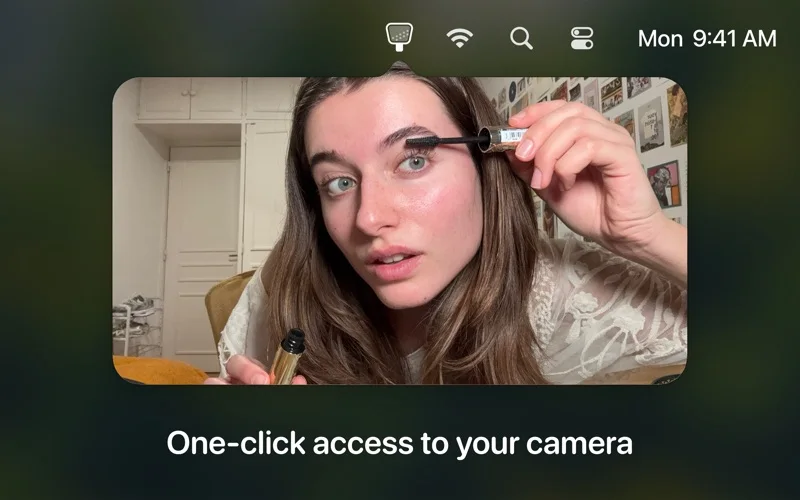
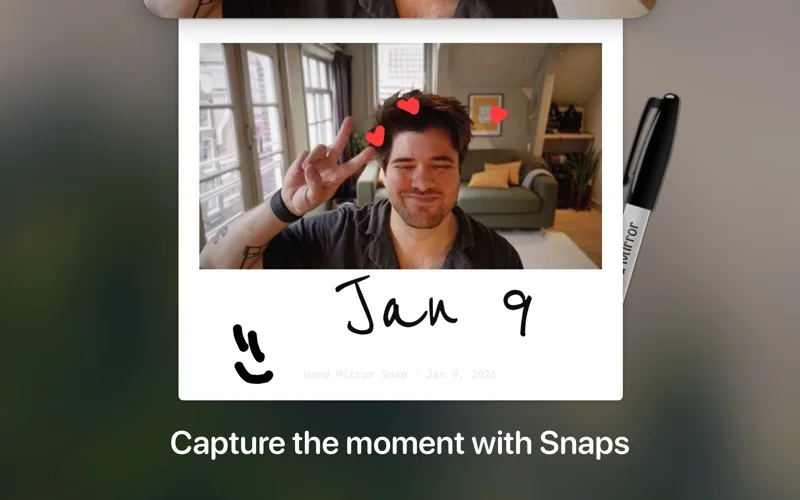
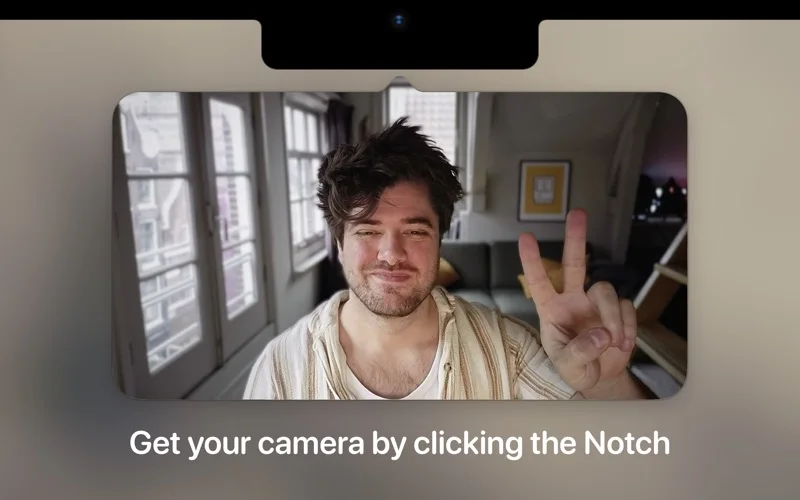
What you can do
- Open a one-click camera preview
- Move the preview window
- Unlock Plus microphone and framing tools
App Store review themes
Recurring praise and complaints, grouped by topic.
40 reviews · US App Store · Written feedback; review platforms are not identified
What reviewers like
A quick appearance check without opening another camera app
12 reviewsReviewers use the webcam preview before meetings, during class or for a quick appearance check.
See 2 review examples
The reviewer values quickly checking a webcam feed.
Original excerpt“check your webcam feed”Apple source · Review 14713863115
The reviewer appreciates checking their appearance without opening Photo Booth.
Original excerpt“not having to open Photo Booth”Apple source · Review 14636857536
A small, easy-to-use camera utility
5 reviewsReviewers praise the simple workflow, efficient access or native-feeling design.
See 2 review examples
The reviewer finds quick appearance checks easy.
Original excerpt“Easy to use”Apple source · Review 14554767866
The reviewer finds the app easy and efficient.
Original excerpt“easy and efficient”Apple source · Review 13858321778
What reviewers dislike
Customization limits and requests
4 reviewsConcerns and requests cover camera background control (2 reviews); app icon appearance (1 review); lighting color choice (1 review).
See 2 review examples
The reviewer wants adjustable lighting color.
Original excerpt“wish the lighting color could change”Apple source · Review 14554767866
The reviewer reports being unable to restore or change the camera background after earlier normal use.
Original excerpt“there is no background and I am unable to change it”Apple source · Review 13904350106
More preview and capture controls behind payment
4 reviewsReviewers object to limited free captures or paid persistent display and positioning options.
See 2 review examples
The reviewer objects to the reported limited free photo captures; the exact allowance is not verified.
Original excerpt“only get like 5 free ones”Apple source · Review 14581050892
The reviewer objects to window movement requiring payment.
Original excerpt“pay a small fee to get that option”Apple source · Review 14225454408
Recent launch and preview failures
3 reviewsReviewers report launch crashes, a beach-ball state or a preview window closing immediately after prior working use. These are version-specific reports.
See 2 review examples
After earlier successful paid use, the reviewer reports launch freezes or crashes persisting after reinstalling.
Original excerpt“application freezes and crashes”Apple source · Review 13976145347
The terse title describes a beach-ball problem on Sequoia after prior working use; no other diagnosis is inferred.
Original excerpt“spinning beach ball on Sequoia”Apple source · Review 13807500562
Good for
- Mac users preparing for video calls
Consider alternatives for
- Users seeking a full video recording editor
Limitations & considerations
- Captured minimum: macOS 14.4.
- Microphone checks, snapshots and advanced window controls belong to the Plus upgrade.
Privacy & permissions
Camera permission is required; developer says the preview is not sent elsewhere, while user-saved snapshots should be handled carefully.
Sources & review notes Updated Nov 9, 2026
Reviewed by iApp4Me Editorial Team. Recommendations use the linked documentation and attributed accounts; device observations are identified separately.
- US App Store developer description
Complete description, download price and compatibility metadata captured 2026-11-02.
No comments yet. Be the first to share your experience.