
Home Planner: Room Design 3D
Home Planner visualizes rooms in 3D with furniture placement, design themes and rendered views.
Consider for exploring furnishing layouts
Editable rooms let users compare furniture arrangements before committing.
Keep in mind: A visualization tool; dimensions, construction suitability and product availability need independent checking.
Inside the app
Official product images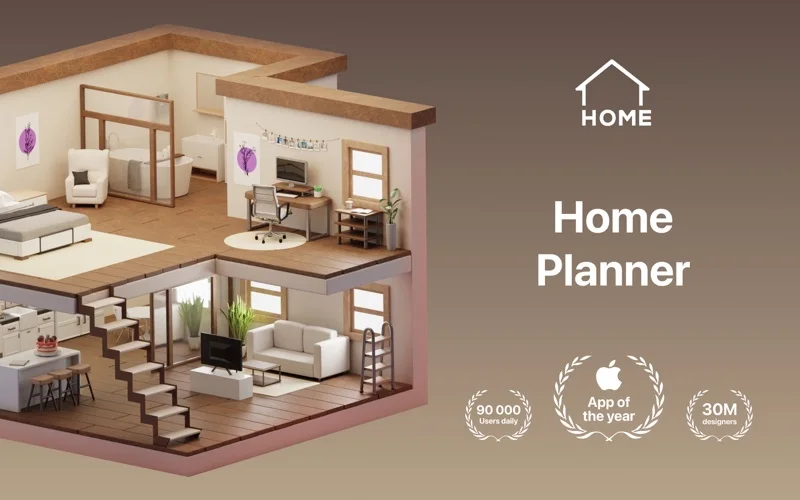
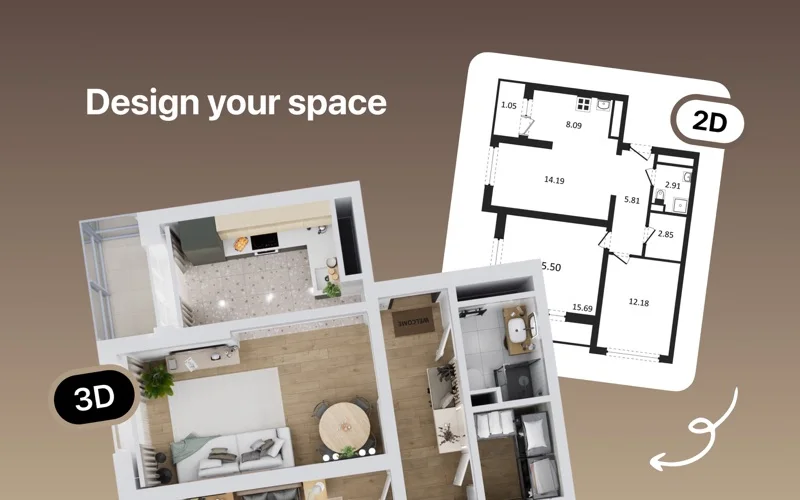

What you can do
- Arrange rooms and furniture
- Change colors and decor
- Create rendered room views
App Store review themes
Recurring praise and complaints, grouped by topic.
33 reviews · US App Store · Written feedback; review platforms are not identified
What reviewers like
Ease of use
8 reviewsReviewers praise ease of use.
See 2 review examples
The reviewer finds generating a house floor plan easy.
Original excerpt“easy and convenient way to generate a floor plan”Apple source · Review 14482548875
The reviewer finds the app easy to use.
Original excerpt“pretty easy to use”Apple source · Review 14078635696
A useful range of tools
3 reviewsReviewers praise range of tools.
See 2 review examples
The reviewer appreciates the large range of elements in the Pro version.
Original excerpt“много элементов есть в pro версии”Apple source · Review 14075639792
The reviewer appreciates the breadth of available options.
Original excerpt“The options are large”Apple source · Review 13853323821
What reviewers dislike
Free access and limits
5 reviewsReviewers raise concerns or requests about free access and limits.
See 2 review examples
The reviewer finds unpaid options too restrictive, particularly the inability to change object colors for their planned apartment.
Original excerpt“Such limited options if you’re not on the subscription plan”Apple source · Review 14393649710
The reviewer objects to needing Pro to see wall measurements.
Original excerpt“paid for pro to be able to view my measurements when making walls”Apple source · Review 14332819575
Workflow and interface friction
4 reviewsReviewers raise concerns or requests about ease of use.
See 2 review examples
The reviewer finds navigation frustrating.
Original excerpt“the navigation feels a bit frustrating to move around in”Apple source · Review 14470622823
The reviewer finds wall movement/snapping and object interactions difficult on their MacBook in version 26.34.
Original excerpt“The system for building walls is terrible with the way it moves and snaps”Apple source · Review 14332819575
Slowdowns and waiting
3 reviewsReviewers raise concerns or requests about speed and responsiveness.
See 2 review examples
The reviewer reports delayed AI photo capture accompanied by changing lighting.
Original excerpt“there is a delay which then changes the lighting”Apple source · Review 14651934107
The reviewer reports slow interaction response.
Original excerpt“so slow and painful to use”Apple source · Review 14332819575
Good for
- Householders planning room layouts
Consider alternatives for
- Users needing certified construction drawings
Limitations & considerations
- Captured minimum: macOS 12.0.
- A visualization tool; dimensions, construction suitability and product availability need independent checking.
Privacy & permissions
Floor plans and shared interior images can expose private living spaces.
Sources & review notes Updated Nov 9, 2026
Reviewed by iApp4Me Editorial Team. Recommendations use the linked documentation and attributed accounts; device observations are identified separately.
- US App Store developer description
Complete description, download price and compatibility metadata captured 2026-11-02.
No comments yet. Be the first to share your experience.