
HP
Set up supported HP devices, print and scan documents, manage printer settings and reach available support from the HP app.
Check your printer and feature eligibility before setup
HP suits owners of supported HP devices who want guided setup, routine printing, scanning and supply information together. It is the renamed successor to HP Smart.
Keep in mind: Features vary by model, country and mobile or desktop version. Full functionality needs an HP account and internet access; selected services and HP+ benefits have additional conditions.
Inside the app
Official product images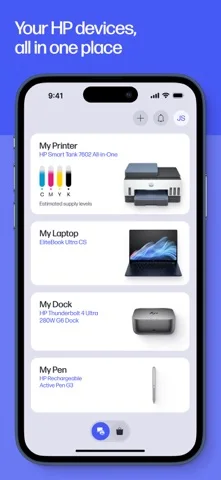
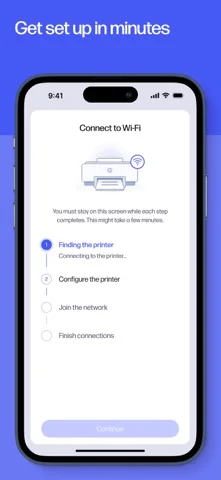
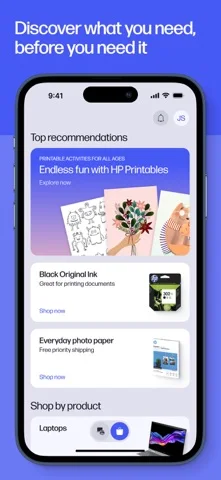
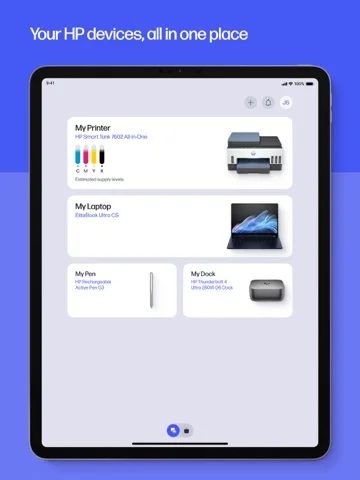
What you can do
- Follow guided setup for supported HP devices.
- Print and scan supported documents and share scans.
- Adjust documents before printing and create supported task shortcuts.
- Check supply information and eligible ink or paper alerts.
- Use available device settings, Printables and support channels.
- Access eligible advanced scanning tools such as text extraction and page correction.
Good for
- Owners setting up or managing a compatible HP printer.
- People who want printer scanning and supply information beside print tasks.
Consider alternatives for
- Assuming every HP printer or computer exposes the same mobile controls.
- People requiring all functions without an account, internet or service conditions.
Limitations & considerations
- Internet access and an HP account are required for full functionality; model, country and app platform affect available features.
- The captured advanced-scan benefits are tied to eligible HP+ setup; HP+ requires ongoing internet and Original HP ink for the printer’s life.
- Fax capability is sending only; phone and live-chat support vary by country and business hours. Printables are for personal use.
Privacy & permissions
HP’s US statement covers account data, device and application activity, printer usage such as page counts, cartridge type and print-file metadata, and permitted location information. It distinguishes this telemetry from file contents, which it says it does not collect unless required for a requested service or with consent. Service-provider and advertising disclosures and privacy choices are described separately.
Privacy policy Privacy policySources & review notes Updated Nov 5, 2026
Reviewed by iApp4Me Editorial Team. Recommendations use the linked documentation and attributed accounts; device observations are identified separately.
- US App Store listing
Complete developer description and version metadata captured 2026-11-02; official images cached locally.
- HP US privacy statement
Official source consulted 2026-11-05.
- HP US privacy statement PDF
Official source consulted 2026-11-05.
No comments yet. Be the first to share your experience.