
HTML Email Signature - Outlook
HTML Email Signature - Outlook installs a signature from HTML supplied by the user, with a preview before use in Outlook for Mac.
Pick when you already have valid signature HTML.
A focused installer avoids trying to build complex markup in a basic rich-text signature box.
Keep in mind: It is not a visual signature designer. The captured supported Outlook versions are 2011, 2016, 2019, 2021 and 365; verify your current Outlook mode and rendering.
Inside the app
Official product images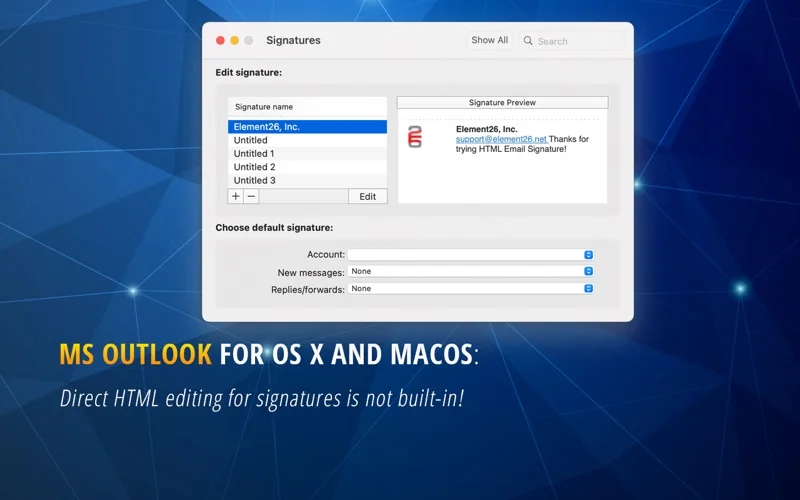
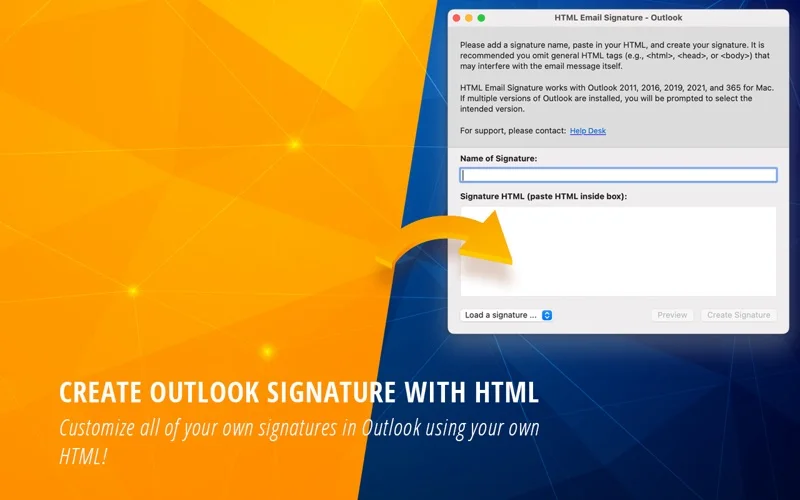
What you can do
- Name and create a signature from supplied HTML
- Preview signature markup
- Receive warnings about missing images or problematic tags
Good for
- Users with prepared HTML and an installed supported Outlook for Mac version.
Consider alternatives for
- People expecting a drag-and-drop designer or an included Microsoft Outlook licence.
Limitations & considerations
- Captured minimum: macOS 10.13.
- It is not a visual signature designer. The captured supported Outlook versions are 2011, 2016, 2019, 2021 and 365; verify your current Outlook mode and rendering.
Privacy & permissions
Signatures often include phone numbers, addresses and remote images. Inspect the HTML and external image URLs before adding them to messages.
Sources & review notes Updated Nov 15, 2026
Reviewed by iApp4Me Editorial Team. Recommendations use the linked documentation and attributed accounts; device observations are identified separately.
- US App Store developer description
Complete description, release notes, download price and compatibility metadata captured 2026-11-02.
No comments yet. Be the first to share your experience.