Hue Menu Bar for Philips Hue
Control Philips Hue lights, scenes and bridges from the Mac menu bar.
An owner of compatible Hue lights and a bridge who wants quick desktop control.
Control Philips Hue lights, scenes and bridges from the Mac menu bar.
Keep in mind: The listing advertises out-of-home/VPN control but does not establish current authentication requirements. Test hardware compatibility and automation behavior before depending on scheduled light actions.
Inside the app
Official product images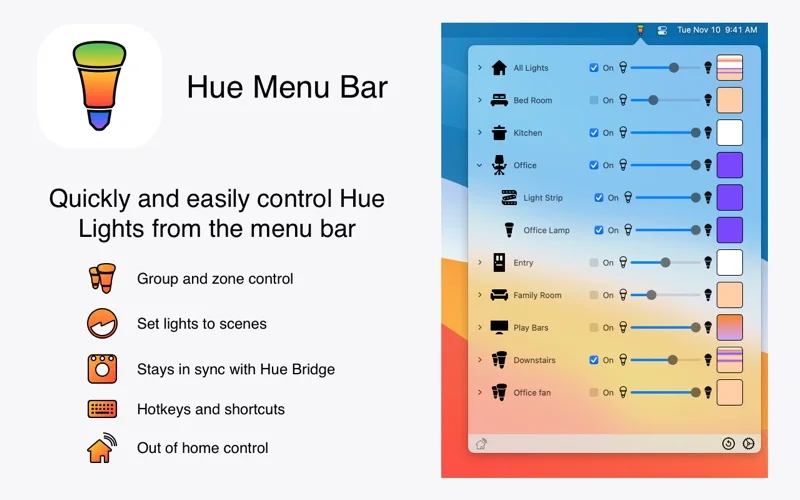
What you can do
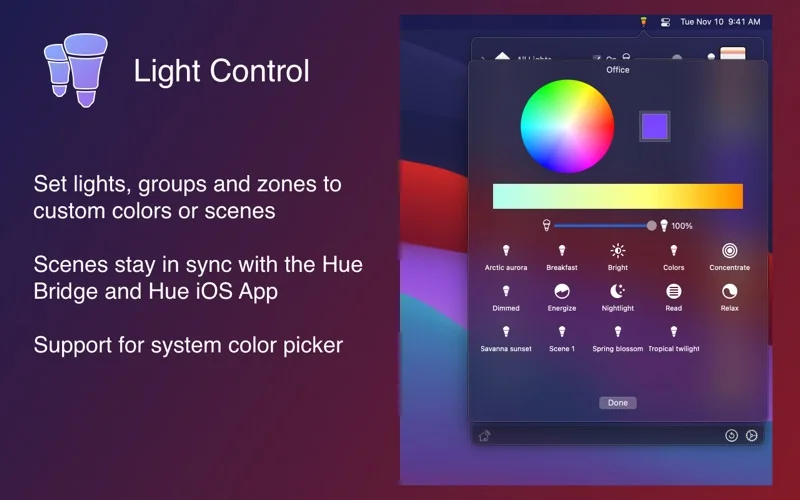
- Choose colors and scenes for lights, groups or zones.
- Switch bridges and use supported Hue Smart Plugs.
- Configure hotkeys, light-action scripts and sleep/wake actions.
Good for
- An owner of compatible Hue lights and a bridge who wants quick desktop control.
Consider alternatives for
- Included lighting hardware or guaranteed remote access in every network setup.
Limitations & considerations
- The listing advertises out-of-home/VPN control but does not establish current authentication requirements. Test hardware compatibility and automation behavior before depending on scheduled light actions.
Privacy & permissions
Lighting control can reveal devices and home routines; remote access adds account/network implications. Review requested permissions and provider access before enabling out-of-home control.
Sources & review notes Updated Nov 18, 2026
Reviewed by iApp4Me Editorial Team. Recommendations use the linked documentation and attributed accounts; device observations are identified separately.
- US App Store listing
Publisher description, version and US download price captured 2026-11-02; source-based coverage, not a device test.
No comments yet. Be the first to share your experience.