
Hyperduck
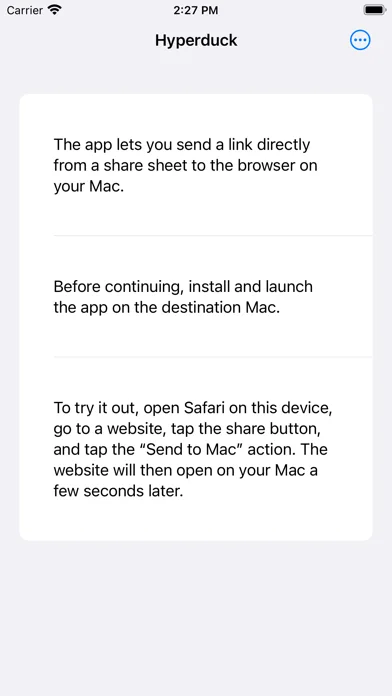
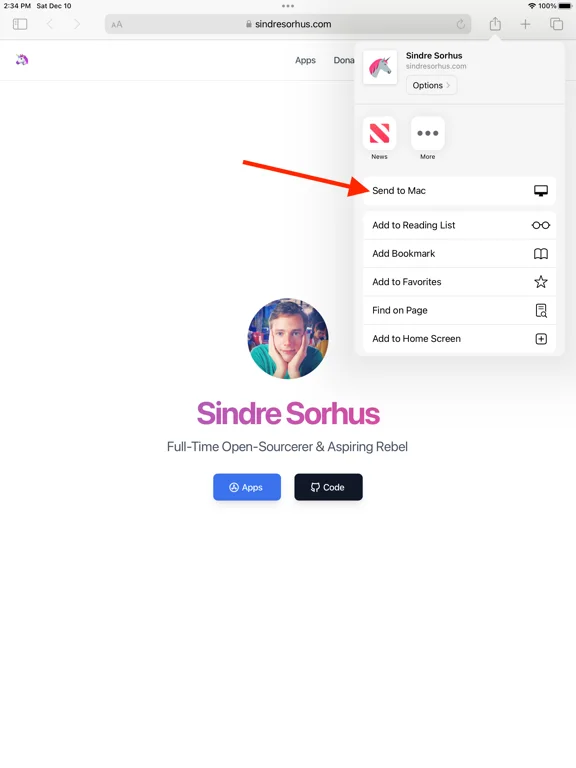
Hyperduck sends URLs from iOS share sheets to a single designated Mac through the same iCloud account.
Consider for queued link handoff with a tested receiver
Links can wait while a device is offline instead of requiring the same local network.
Keep in mind: It supports one receiving Mac; installing on several can deliver unpredictably. Low Power Mode delays background sending, and never-lost/faster claims are not measured guarantees. Shortcut actions need separate setup.
Inside the app
Official product images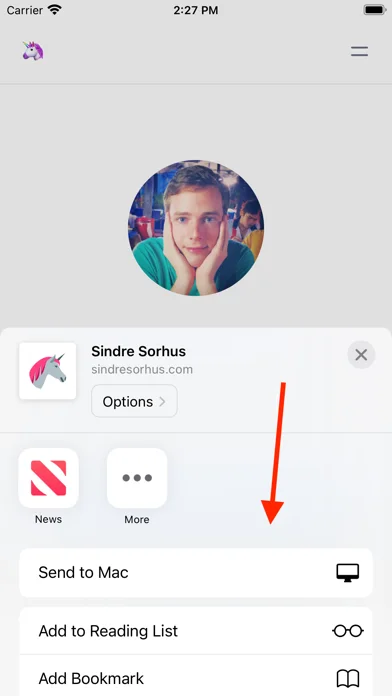
What you can do
- Share a URL through Send to Mac
- Receive it in the Mac's default browser when online
- Use entitled configured Mac shortcuts only after testing
App Store review themes
Recurring praise and complaints, grouped by topic.
3 reviews · US App Store · Written feedback; review platforms are not identified
What reviewers like
No recurring positive theme has at least three supporting reviews.
What reviewers dislike
No recurring negative theme has at least three supporting reviews.
Good for
- Users with one intended Mac and matching Apple account
Consider alternatives for
- Users expecting multi-Mac targeting or instant offline delivery
Limitations & considerations
- Captured minimum: iOS 26.0.
- It supports one receiving Mac; installing on several can deliver unpredictably. Low Power Mode delays background sending, and never-lost/faster claims are not measured guarantees. Shortcut actions need separate setup.
Privacy & permissions
Publisher says it sees no links and collects no personal/tracking data; URLs still pass through iCloud and can contain private tokens, so verify the receiving account/Mac.
Sources & review notes Updated Nov 11, 2026
Reviewed by iApp4Me Editorial Team. Recommendations use the linked documentation and attributed accounts; device observations are identified separately.
- US App Store developer description
Complete description, download price and compatibility metadata captured 2026-11-02.
No comments yet. Be the first to share your experience.