iBarcodeGenerator
Create editable barcode/QR designs and export, print or batch-generate them from input data.
Someone generating labels who can validate symbols with a target scanner.
Create editable barcode/QR designs and export, print or batch-generate them from input data.
Keep in mind: The source repeatedly calls a template PDF147, an unclear format name. Confirm exact symbologies; logos, spacing and colors can affect readability and were not validated.
Inside the app
Official product images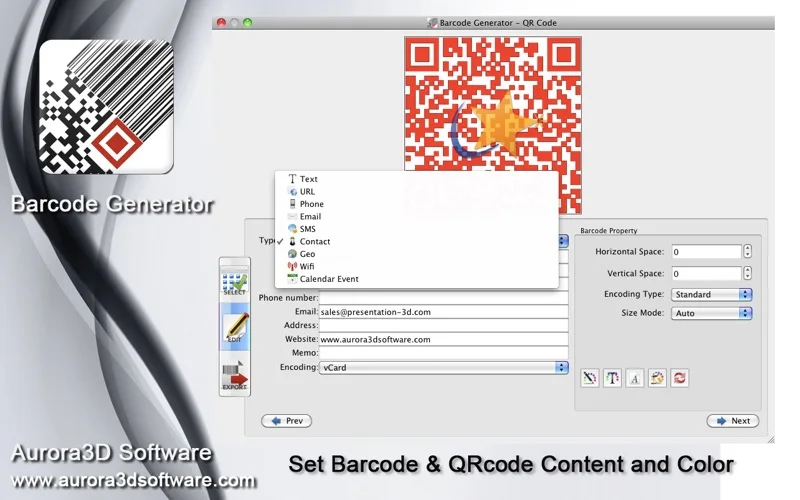
What you can do
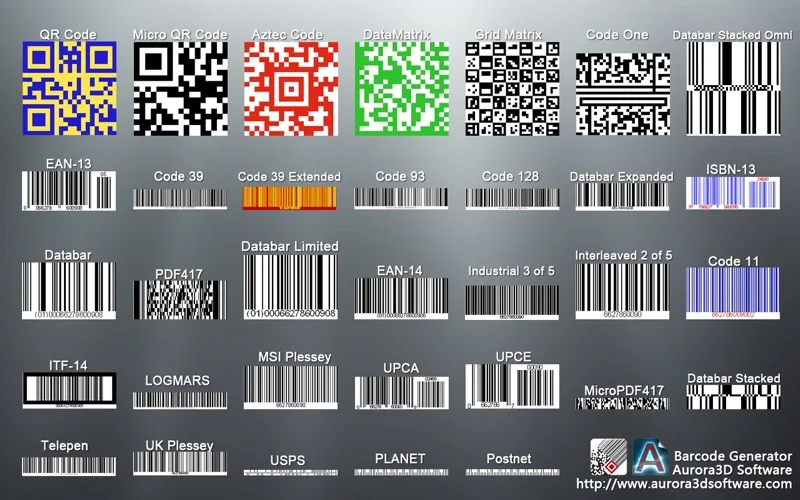
- Choose listed templates and edit values, colors, dimensions and text.
- Encode QR data types such as URL, contact, Wi-Fi or event fields.
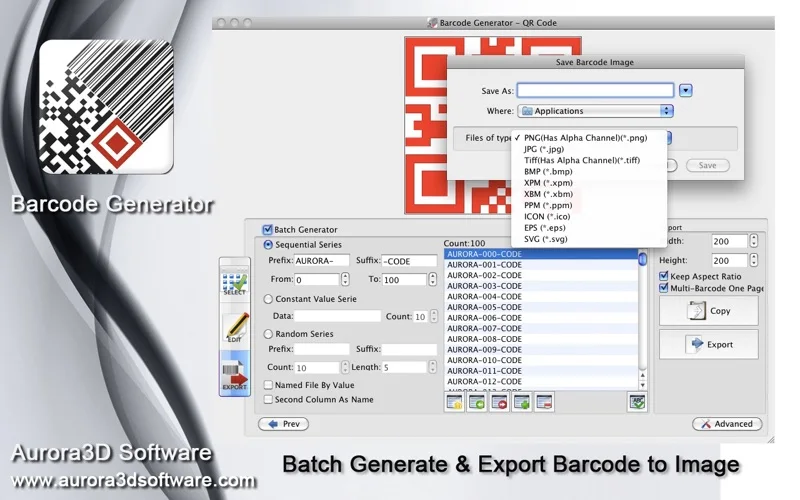
- Import text/batch rules and export supported raster/vector files.
Good for
- Someone generating labels who can validate symbols with a target scanner.
Consider alternatives for
- Official barcode-number registration or guaranteed universal scanability.
Limitations & considerations
- The source repeatedly calls a template PDF147, an unclear format name. Confirm exact symbologies; logos, spacing and colors can affect readability and were not validated.
Privacy & permissions
Contact and Wi-Fi QR codes can expose personal details or credentials to anyone scanning them. Inspect encoded values and protect exported artwork.
Sources & review notes Updated Nov 19, 2026
Reviewed by iApp4Me Editorial Team. Recommendations use the linked documentation and attributed accounts; device observations are identified separately.
- US App Store listing
Publisher description, version and US download price captured 2026-11-02; source-based coverage, not a device test.
No comments yet. Be the first to share your experience.