
Productivity
Image Size & Video Compressor
Batch resize or compress photos/videos using custom dimensions and presets.
Useful for creating smaller copies with checked output
Aspect locks, social presets and media filters reduce repetitive setup.
Keep in mind: No-visible-quality-loss and fastest wording are not guarantees; compression is lossy and actual size depends on content. Preserve originals before replacing anything.
Inside the app
Official product images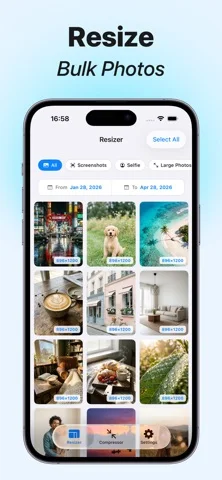
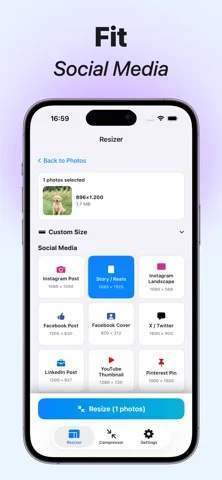
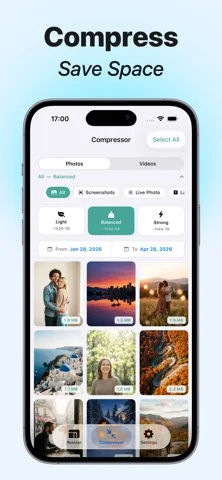

What you can do
- Batch photo/video export
- Pixel dimensions, ratio lock and presets
- Three compression strengths and media filters
Good for
- People checking resized copies before sharing
Consider alternatives for
- Lossless shrinking of every file or secure redaction
Limitations & considerations
- Captured minimum: iOS 17.0.
- No-visible-quality-loss and fastest wording are not guarantees; compression is lossy and actual size depends on content. Preserve originals before replacing anything.
Privacy & permissions
Publisher says offline processing without accounts/cloud; selected media and exported copies can still reveal private content/metadata.
Sources & review notes Updated Nov 12, 2026
Reviewed by iApp4Me Editorial Team. Recommendations use the linked documentation and attributed accounts; device observations are identified separately.
- US App Store developer description
Complete description, download price and compatibility metadata captured 2026-11-02.
No comments yet. Be the first to share your experience.