
iQIF
A focused mobile transaction-entry app that exports QIF files for compatible desktop finance software, including supported GnuCash workflows.
Consider only after checking QIF import on the receiving application
Quick receipt entry and list import can bridge mobile note-taking with an existing desktop bookkeeping process.
Keep in mind: The developer explicitly says it is not two-way Quicken sync, does not work with Quicken Essentials and may not work with newer Quicken versions that dropped QIF.
Inside the app
Official product images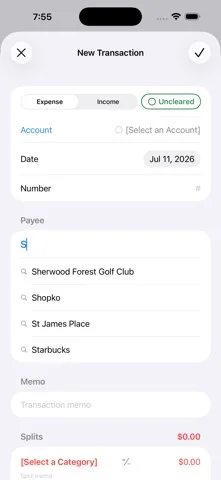
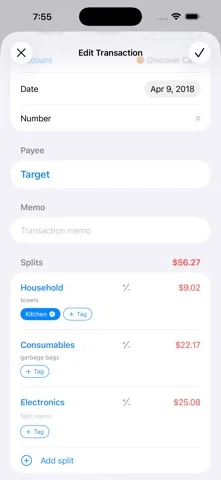
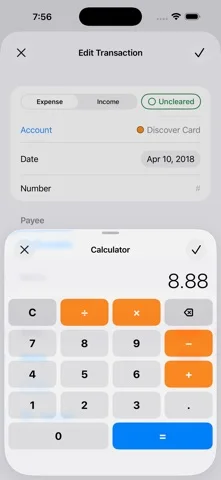
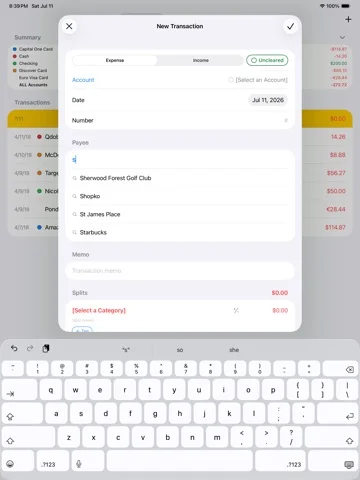
What you can do
- Create financial transactions on the device
- Import supported QIF or GnuCash account lists
- Review new list items during import
- Export transactions as QIF files
Good for
- Users with an established compatible desktop ledger who can test imports on a backup.
Consider alternatives for
- People expecting bank aggregation, full mobile accounting or seamless synchronization with every Quicken edition.
Limitations & considerations
- Captured minimum: iOS 17.0.
- The developer explicitly says it is not two-way Quicken sync, does not work with Quicken Essentials and may not work with newer Quicken versions that dropped QIF.
Privacy & permissions
Transactions and account lists contain sensitive financial details. Protect exports and verify recipients before sharing or importing.
Sources & review notes Updated Nov 11, 2026
Reviewed by iApp4Me Editorial Team. Recommendations use the linked documentation and attributed accounts; device observations are identified separately.
- US App Store developer description
Complete description, download price and compatibility metadata captured 2026-11-02.
No comments yet. Be the first to share your experience.