
iScanner: PDF Document Scanner
Document scanning and PDF workflows with OCR, signatures, form filling and optional cloud/AI tools.
Consider it when scanning and follow-up edits belong in one workflow
Capture correction, OCR and signing reduce switching between separate document apps.
Keep in mind: Pro access is separate from the free download, and local scan handling must be distinguished from cloud sync, sharing and AI features.
Inside the app
Official product images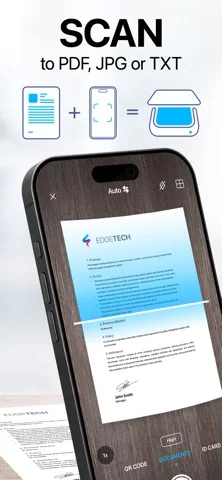

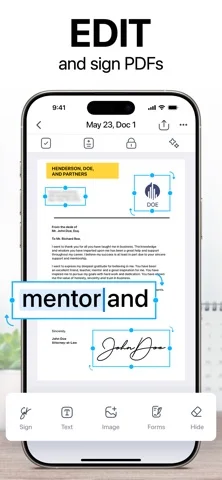
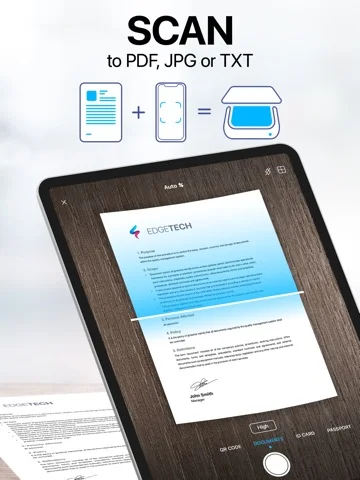
What you can do
- Scan multipage documents with border/color correction.
- Extract text in supported languages.
- Sign, annotate and fill forms.
- Merge/split files and use eligible cloud or AI tools.
Good for
- Users digitizing paper and doing lightweight PDF tasks.
Consider alternatives for
- Anyone expecting every feature free or all AI/cloud processing offline.
Limitations & considerations
- Captured minimum: iOS 18.0.
- The developer says scanning, editing and viewing work offline; connected tools have separate requirements.
- Check redaction and exported files before sharing sensitive documents; visual covering alone may not remove underlying data.
Privacy & permissions
The developer describes local storage by default and optional AWS cloud sync. Uploaded documents, shared links and AI queries need separate decisions from local scanning.
Privacy policySources & review notes Updated Nov 8, 2026
Reviewed by iApp4Me Editorial Team. Recommendations use the linked documentation and attributed accounts; device observations are identified separately.
- US App Store developer description
Complete description, download price and compatibility metadata captured 2026-11-02.
- iScanner privacy reference
Developer-linked reference.
No comments yet. Be the first to share your experience.