
Photo & Video
iSwap Faces Pro
iSwap Faces Pro swaps faces within one photo or between two images using manually placed face masks.
Choose for consent-based novelty photo edits.
Camera capture, photo import and color adjustment provide a compact workflow for a playful composite.
Keep in mind: Results are altered images and may need manual alignment; automatic realism or permission to use another person's likeness is not guaranteed.
Inside the app
Official product images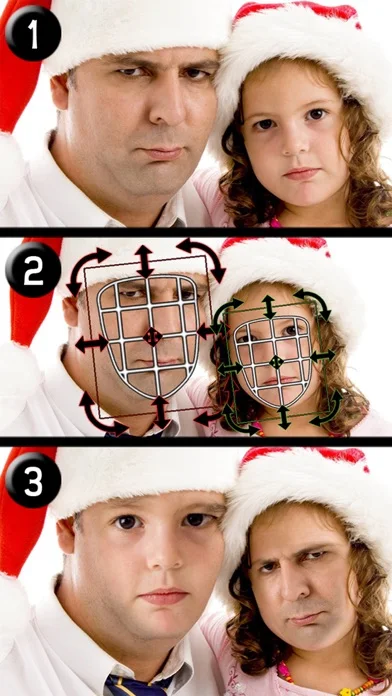
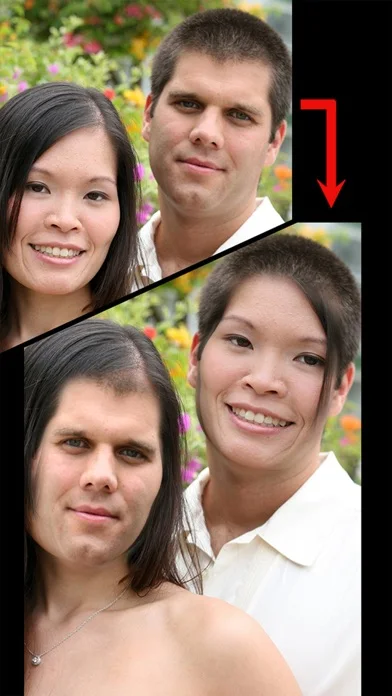
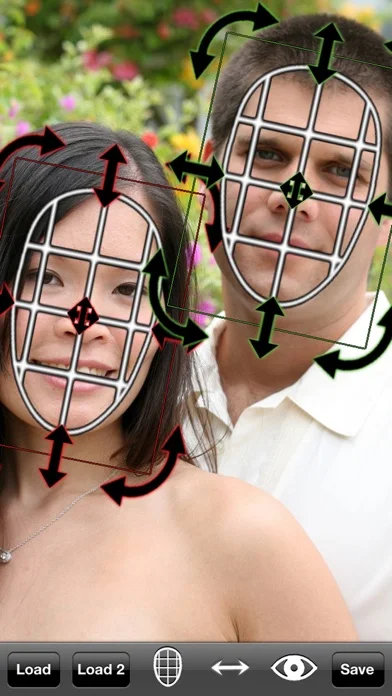
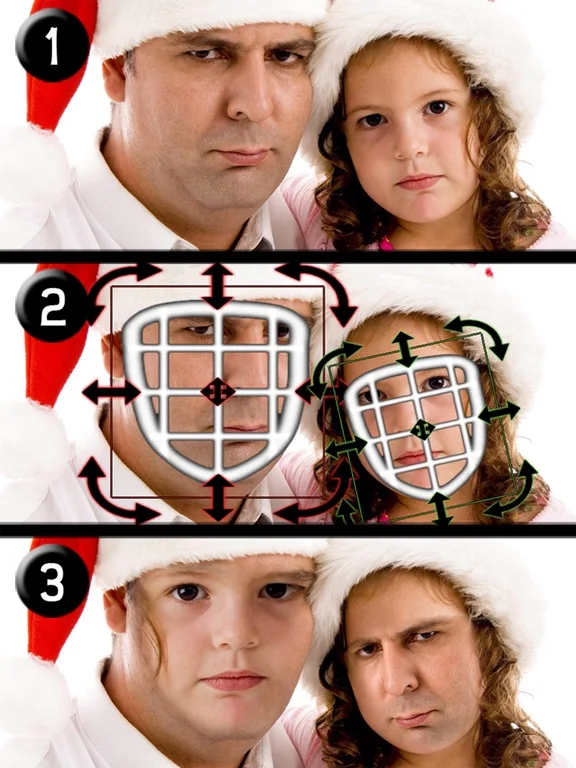
What you can do
- Capture or import pictures
- Position masks over faces
- Swap faces across two photos
- Adjust face color and brightness
Good for
- People making agreed humorous photo composites
Consider alternatives for
- Users requiring forensic accuracy or identity verification
Limitations & considerations
- Captured minimum: iOS 11.4.
- Results are altered images and may need manual alignment; automatic realism or permission to use another person's likeness is not guaranteed.
Privacy & permissions
Faces and social photos identify real people; obtain consent and label altered images appropriately before sharing.
Sources & review notes Updated Nov 11, 2026
Reviewed by iApp4Me Editorial Team. Recommendations use the linked documentation and attributed accounts; device observations are identified separately.
- US App Store developer description
Complete description, download price and compatibility metadata captured 2026-11-02.
No comments yet. Be the first to share your experience.