
Developer Tools
Jayson
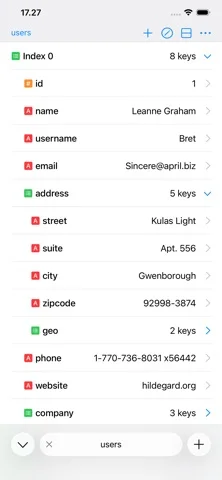
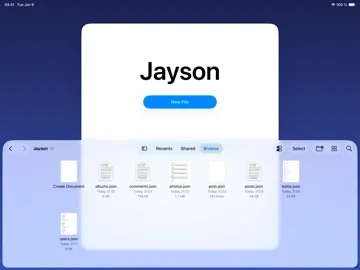
Jayson opens JSON as a structured table or highlighted text and saves edits on iPhone or iPad.
Consider it if you need to inspect or change a small configuration or API response away from a desktop.
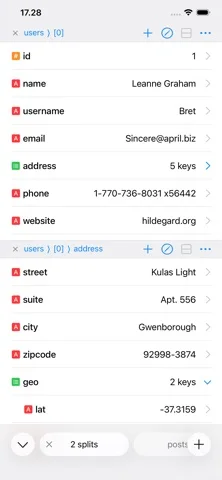
Tabs, splits and Shortcuts support make comparing responses and passing formatted JSON back to a workflow easier.
Keep in mind: The free tier permits up to two tabs; customization and additional tabs need the upgrade. It is not an API testing suite.
Inside the app
Official product images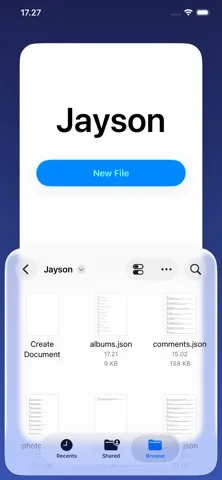
What you can do
- Browse and edit JSON values or keys
- Compare documents or objects in split view
- Preview and format JSON through Shortcuts
Good for
- Developers and power users working with JSON on mobile
Consider alternatives for
- Anyone wanting a full API client or source editor
Limitations & considerations
- Captured minimum: iOS 26.0.
- The free tier permits up to two tabs; customization and additional tabs need the upgrade. It is not an API testing suite.
Privacy & permissions
Files may be local or in iCloud Drive. Clipboard inputs, URLs and API responses can contain secrets; inspect what you open or share.
Sources & review notes Updated Nov 11, 2026
Reviewed by iApp4Me Editorial Team. Recommendations use the linked documentation and attributed accounts; device observations are identified separately.
- US App Store developer description
Complete description, download price and compatibility metadata captured 2026-11-02.
No comments yet. Be the first to share your experience.