
Jump Desktop (RDP, VNC, Fluid)
Jump Desktop remotely accesses compatible computers through RDP, VNC or Fluid protocols.
For authorized remote computer work
Keyboard/mouse and external-display features support longer sessions.
Keep in mind: Host setup and network access are required; performance/security depend on configuration.
Inside the app
Official product images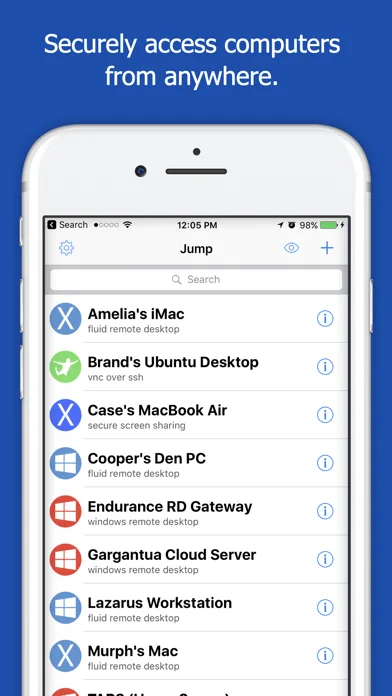
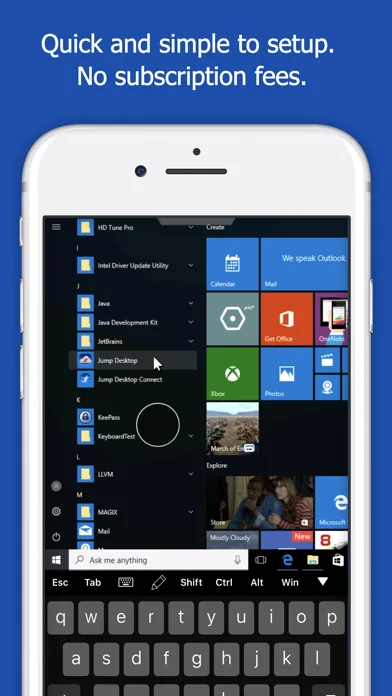
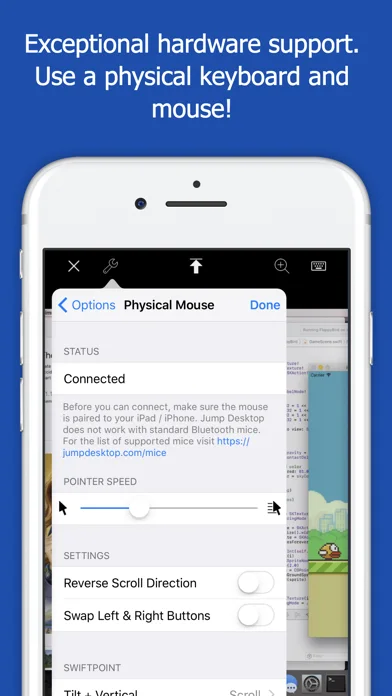
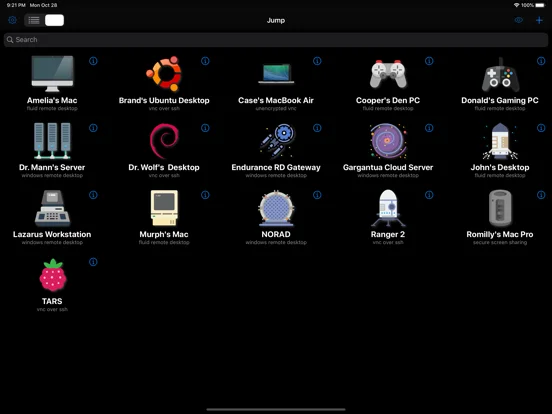
What you can do
- Open remote desktop sessions.
- Use supported input, clipboard and audio.
- Manage multiple connections and eligible printing/folder sharing.
App Store review themes
Recurring praise and complaints, grouped by topic.
73 reviews · US App Store · Written feedback; review platforms are not identified
What reviewers like
Remote connection reliability
7 reviewsReviewers praise remote connection reliability.
See 2 review examples
In version 10.15.46, the reviewer reports reliable remote connections in their own configuration, not a universal performance guarantee.
Original excerpt“Works flawlessly every time”Apple source · Review 14719616269
In version 10.15.42, the reviewer reports reliable remote connections in their own configuration, not a universal performance guarantee.
Original excerpt“remote into it from my iPad wherever I want”Apple source · Review 14687851056
Value and purchase options
7 reviewsPositive feedback covers non-subscription purchase (4 reviews); purchase value (3 reviews).
See 2 review examples
In version 10.15.42, the reviewer appreciates a one-time purchase rather than recurring subscription fees in their experience.
Original excerpt“no subscription”Apple source · Review 14687851056
In version 9.8.0, the reviewer appreciates a one-time purchase rather than recurring subscription fees in their experience.
Original excerpt“good value without an in-app subscription”Apple source · Review 14479220609
Ease of use
5 reviewsReviewers praise remote desktop workflow.
See 2 review examples
In version 10.15.46, the reviewer finds remote access controls or setup easy.
Original excerpt“super easy”Apple source · Review 14719616269
In version 10.15.31, the reviewer finds remote access controls or setup easy.
Original excerpt“easiest to use”Apple source · Review 14628930021
Show fewer positive themes
Device and platform support
3 reviewsPositive feedback covers edge-to-edge iPad display restored (1 review); expanded device display (1 review); macOS VNC compatibility restored (1 review).
See 2 review examples
In version 10.17.1, the reviewer appreciates the latest update using the full screen of the device they call iPhone Duo; no independent device test.
Original excerpt“whole space of an open iPhone Duo”Apple source · Review 14746939550
In version 10.17.1, the reviewer reports the earlier iPad status-bar overlap issue fixed, preserving the resolved context.
Original excerpt“Edge to edge has been fixed.”Apple source · Review 14746744419
Output quality reviewers appreciate
3 reviewsPositive feedback covers display resolution restored (1 review); remote display appearance (1 review); retina remote display (1 review).
See 2 review examples
In version 10.15.46, the reviewer likes the new Retina display appearance on their reported phone.
Original excerpt“crisp, smooth”Apple source · Review 14703064272
In version 10.15.42, the reviewer likes resolution and full-screen appearance after the update.
Original excerpt“great resolution”Apple source · Review 14655569216
Reliable operation
3 reviewsReviewers praise reliable use.
See 2 review examples
In version 9.8.0, the reviewer reports years of trouble-free use, not a reliability guarantee.
Original excerpt“never had an issue”Apple source · Review 13992612510
In version 9.8.0, the reviewer finds it reliable in their own use.
Original excerpt“reliable and consistent”Apple source · Review 13943368359
What reviewers dislike
Device access, compatibility and requests
16 reviewsConcerns and requests cover requested device display support (5 reviews); linux host compatibility (4 reviews); dedicated Vision Pro client (2 reviews). Other aspects appear in this group too; these counts describe subtopics, not one shared experience.
See 2 review examples
In version 10.15.46, the reviewer requests full display/resolution support for the device they call iPhone Duo in this version; this does not verify product specifications or current compatibility.
Original excerpt“no support for the iPhone Duo”Apple source · Review 14743811664
In version 10.15.46, the reviewer requests full display/resolution support for the device they call iPhone Duo in this version; this does not verify product specifications or current compatibility.
Original excerpt“update the app for the iPhone Duo”Apple source · Review 14719616269
Support and response concerns
10 reviewsConcerns and requests cover maintenance concerns (7 reviews); support responsiveness (3 reviews).
See 2 review examples
In version 9.8.0, the reviewer reports delayed or unanswered support for their problem.
Original excerpt“multiple emails and received no response”Apple source · Review 14557184366
In version 9.8.0, the reviewer is concerned about perceived lack of updates in this older version; this does not establish that the app is currently abandoned or insecure.
Original excerpt“hasn’t been updated since 2023”Apple source · Review 14518228937
Remote connection reliability
7 reviewsReviewers raise concerns or requests about remote connection reliability.
See 2 review examples
In version 10.15.46, the reviewer reports connection failures in this version; host configuration, network causes and current resolution are not independently checked.
Original excerpt“2 different windows hosts”Apple source · Review 14702381401
In version 10.15.42, the reviewer reports version 10.15.42 prevents their previously used remote login workflow; no industrial system was accessed or diagnosed.
Original excerpt“allow us to log into our SCADA system”Apple source · Review 14654076285
Show fewer negative themes
Battery and resource-use concerns
6 reviewsReviewers raise concerns or requests about background battery drain.
See 2 review examples
In version 10.15.31, the reviewer reports unusually high battery use, sometimes after leaving the app in the background; figures and cause are not independently measured and current resolution is unknown.
Original excerpt“40% after a little more than 1hr”Apple source · Review 14599654468
In version 9.8.0, the reviewer reports unusually high battery use, sometimes after leaving the app in the background; figures and cause are not independently measured and current resolution is unknown.
Original excerpt“70% in 4 hours”Apple source · Review 14115648848
Remote keyboard input
5 reviewsReviewers raise concerns or requests about remote keyboard input.
See 2 review examples
In version 10.17.1, the reviewer still requests forwarding Command-Q to the remote Mac rather than quitting the local app; the edge-to-edge fix does not establish this shortcut resolved.
Original excerpt“this quits Jump Desktop instead”Apple source · Review 14746744419
In version 10.15.42, the reviewer reports the space bar stopped working in a remote terminal on iPad Pro after this update, despite earlier successful use.
Original excerpt“space bar is not working inside the terminal”Apple source · Review 14679773911
Remote pointer behavior
4 reviewsReviewers raise concerns or requests about remote pointer behavior.
See 2 review examples
In version 10.15.42, the reviewer reports the local and remote pointers repeatedly losing synchronization.
Original excerpt“mouse and screen mouse stop sync”Apple source · Review 14666957391
In version 10.15.42, the reviewer still wants pointer behavior improved despite praising the update.
Original excerpt“mouse/pointer/cursor needs some polishing”Apple source · Review 14655569216
Sign-in and account access problems
3 reviewsConcerns and requests cover account requirement (1 review); account setup emails (1 review); google sign-in loop (1 review).
See 2 review examples
In version 9.8.0, the reviewer cannot complete setup because the promised email never arrives and resend is unavailable.
Original excerpt“did not receive that email”Apple source · Review 14557184366
In version 9.8.0, the reviewer objects to creating an account for their Windows desktop setup.
Original excerpt“without creating an account”Apple source · Review 14105688518
Workflow and interface friction
3 reviewsConcerns and requests cover connection error feedback (1 review); display switching workflow (1 review); remote setup complexity (1 review).
See 2 review examples
In version 10.15.42, the reviewer dislikes multi-display switching requiring more actions after an update.
Original excerpt“one step to three steps”Apple source · Review 14678878945
In version 9.8.0, the reviewer wants a clear error rather than being returned to the server list.
Original excerpt“no a single alert explaining why”Apple source · Review 14412026876
Good for
- People accessing their own/authorized computers.
Consider alternatives for
- Anyone expecting a cloud computer included.
Limitations & considerations
- Captured minimum: iOS 16.0.
- Host setup and network access are required; performance/security depend on configuration.
Privacy & permissions
Remote sessions expose screen/input and connection credentials; secure hosts and shared clipboard.
Sources & review notes Updated Nov 9, 2026
Reviewed by iApp4Me Editorial Team. Recommendations use the linked documentation and attributed accounts; device observations are identified separately.
- US App Store developer description
Complete description, download price and compatibility metadata captured 2026-11-02.
No comments yet. Be the first to share your experience.