KeyBell • Mechanical keyboard
KeyBell plays selectable typing and mouse-click sounds while you use a Mac.
Try it if audible feedback makes typing more enjoyable.
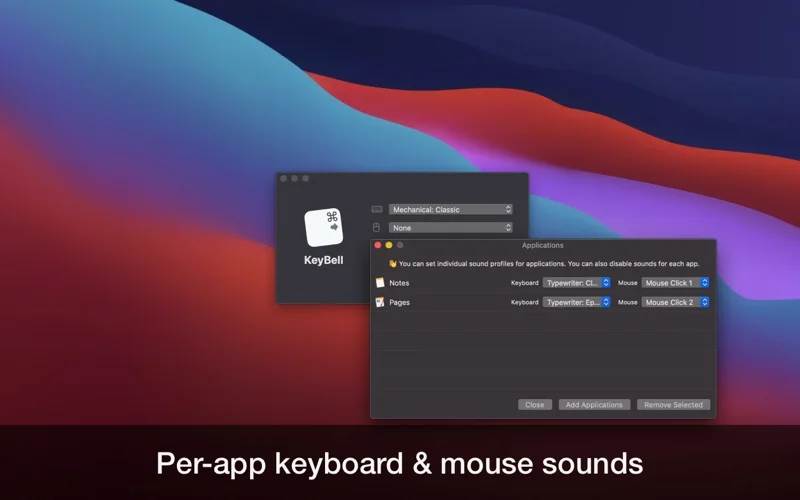
Per-app profiles and headphone-aware activation let you keep sounds where they are useful.
Keep in mind: It adds sound, not the physical feel of a mechanical keyboard, and a productivity improvement is subjective; silence it for recordings or shared spaces.
Inside the app
Official product images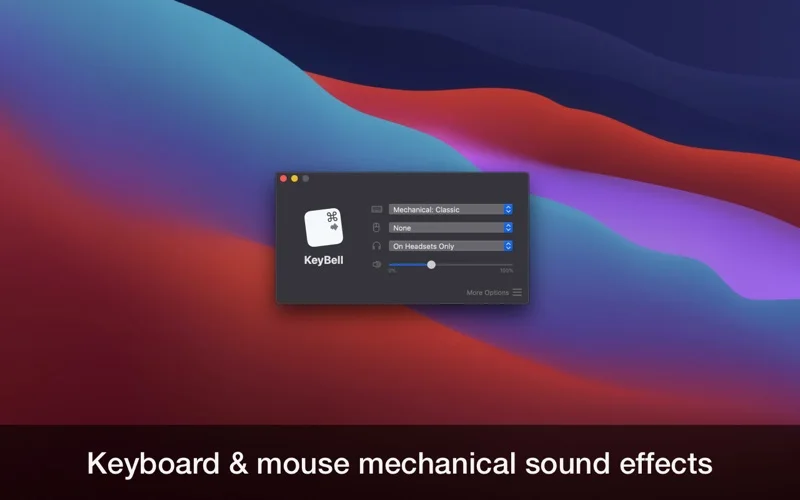
What you can do
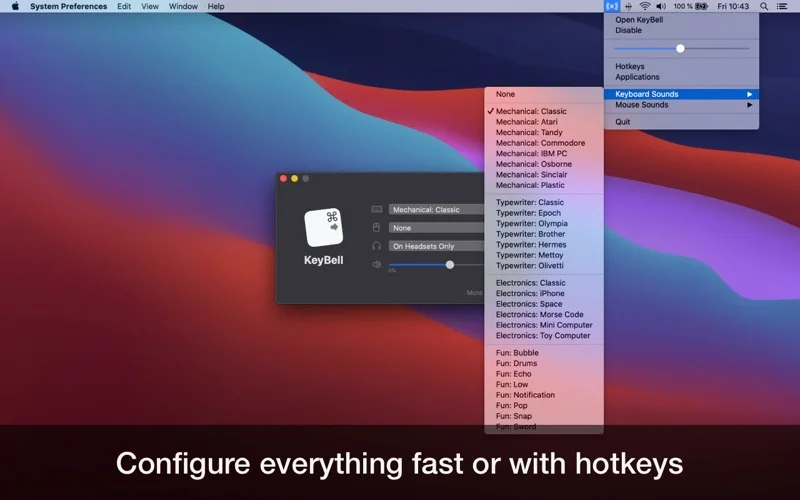
- Choose more than 25 sound profiles across five categories
- Use per-application sounds or exclusions
- Configure activation hotkeys, volume and output-aware behavior
Good for
- Writers and developers who enjoy keyboard feedback through speakers or headphones.
Consider alternatives for
- Users seeking physical switch changes or a guaranteed typing-speed improvement.
Limitations & considerations
- Captured minimum: macOS 12.0.
- It adds sound, not the physical feel of a mechanical keyboard, and a productivity improvement is subjective; silence it for recordings or shared spaces.
Privacy & permissions
System-wide input-triggered behavior deserves careful permission review; unrelated privacy pages for other developer apps do not establish KeyBell's own collection practices.
Sources & review notes Updated Nov 15, 2026
Reviewed by iApp4Me Editorial Team. Recommendations use the linked documentation and attributed accounts; device observations are identified separately.
- US App Store developer description
Complete description, release notes, download price and compatibility metadata captured 2026-11-02.
- Official developer disclosure
Official cached text captured 2026-11-12 read for the supported edition, purchase terms or concise disclosure. Historical and current product variants kept distinct; an empty policy shell establishes no collection guarantee.
No comments yet. Be the first to share your experience.