Lights Switch
Control supported Philips Hue, LIFX and WeMo devices from the Mac menu bar.
Mac users who already own compatible lights or switches and want quick desktop controls.
Control supported Philips Hue, LIFX and WeMo devices from the Mac menu bar.
Keep in mind: Compatibility depends on the actual device, bridge and firmware. The saved description names three ecosystems but does not establish universal support or every device’s pairing method.
Inside the app
Official product images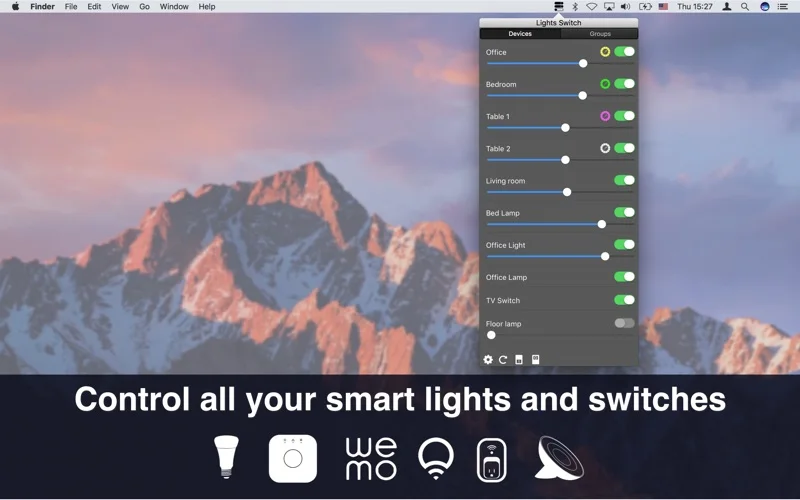

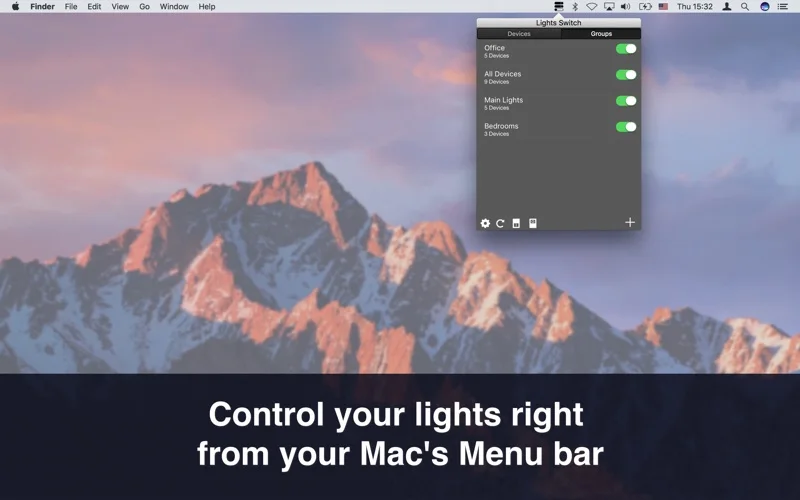
What you can do
- Change supported bulb colors and brightness or switch power.
- Control device groups or switch all lights together.
- Assign keyboard shortcuts to a device or group.
Good for
- Mac users who already own compatible lights or switches and want quick desktop controls.
Consider alternatives for
- Buying a lighting hub or guaranteeing support for every current smart-home device.
Limitations & considerations
- Compatibility depends on the actual device, bridge and firmware. The saved description names three ecosystems but does not establish universal support or every device’s pairing method.
Privacy & permissions
Device control can reveal household device identities and usage. Review network and account permissions during setup; do not assume the app can operate without a manufacturer account or cloud service.
Sources & review notes Updated Nov 17, 2026
Reviewed by iApp4Me Editorial Team. Recommendations use the linked documentation and attributed accounts; device observations are identified separately.
- US App Store listing
Publisher description and US download price captured 2026-11-02; source-based coverage, not a device test.
No comments yet. Be the first to share your experience.