
Locseek: Everything Search
Search file and folder names with a separate local index, then narrow results and act on a matching file.
Finding remembered file or folder names on a Mac
Locseek may suit a Mac user who remembers part of a filename. It keeps its own name index rather than relying on Spotlight, and does not search file contents. The free scope is Desktop, Documents and Downloads; wider locations, advanced queries and many batch actions require Pro.
Keep in mind: Search speed, index accuracy, background resource use and disconnected-drive results were not benchmarked.
Inside the app
Official product images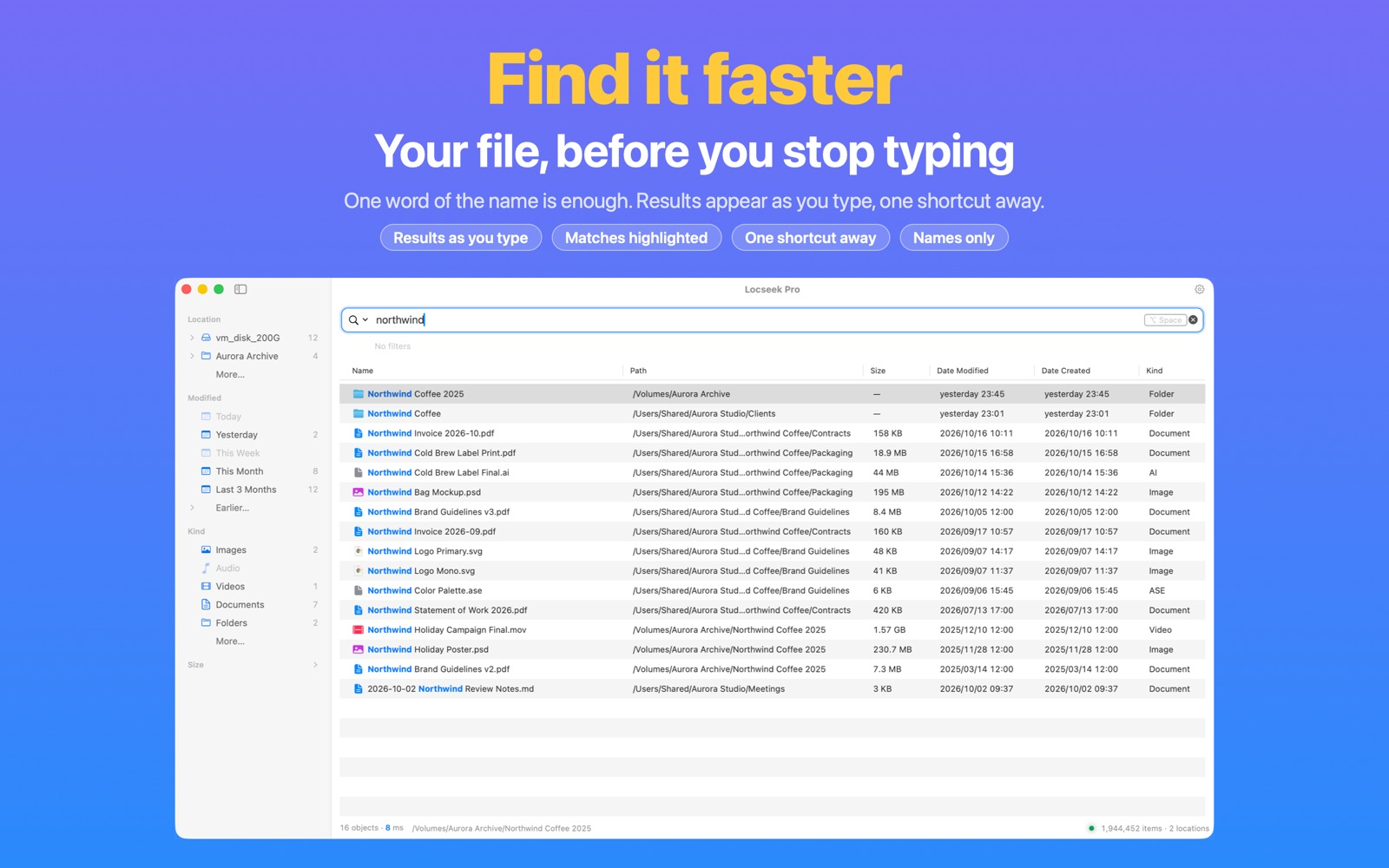

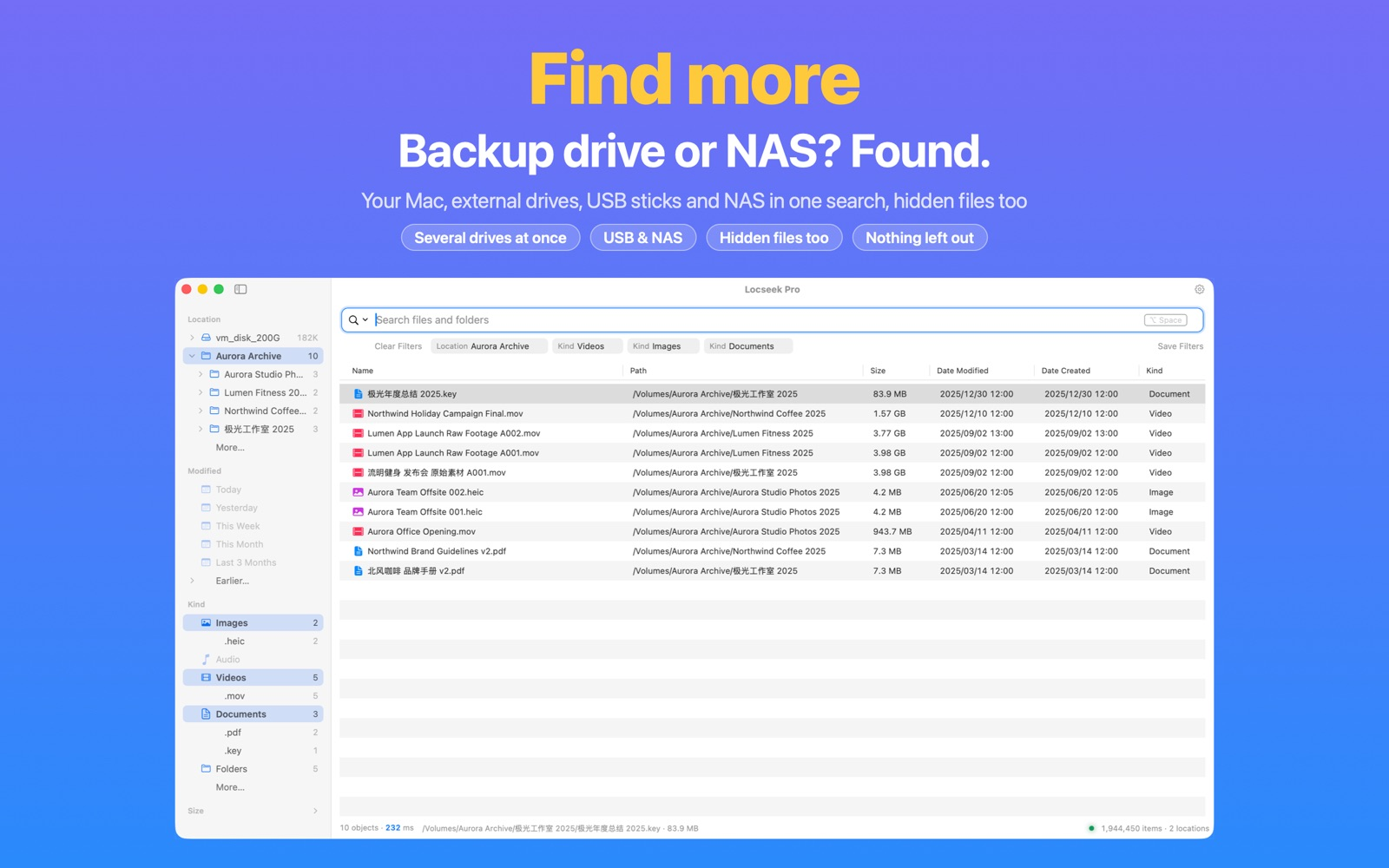

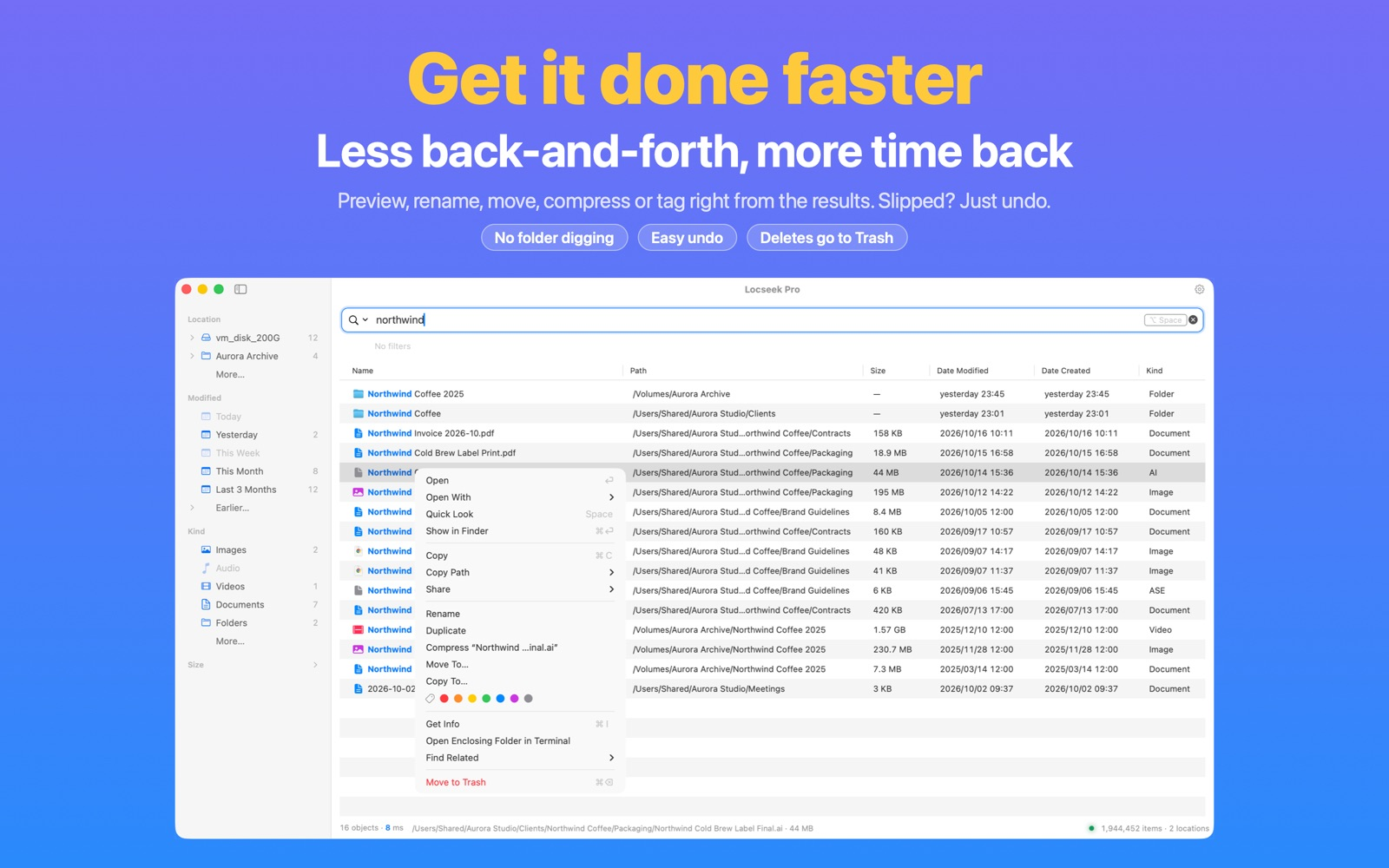

What you can do
- Search an independent local filename index as you type
- Use Pro to include other folders, external drives and network shares
- Filter results and open, preview, rename or use tier-dependent batch actions
Good for
- Finding remembered file or folder names on a Mac
Consider alternatives for
- Searching inside documents or assuming external-drive search is included free
A small workflow to compare
Begin with a filename in Desktop, Documents or Downloads, the ongoing free search scope. Type a remembered part of the name and compare the returned name and path.
Use basic commands or location filtering to narrow the result, then preview it before taking a file action. The guide does not claim that a search or mutation was performed.
For other folders, external drives, NAS or advanced queries, check Pro and any needed macOS permissions first. An indexed name from a disconnected drive does not mean the file contents are accessible.
Release and evidence
US store release 1.9.29 requires macOS 12.0 or later. Official references checked November 17, 2026. The gallery is attributed publisher material, not our installed-device observations.
Limitations & considerations
- Search speed, index accuracy, background resource use and disconnected-drive results were not benchmarked.
- This is filename search, not document-content search.
- The publisher gallery shows Pro locations and operations; screenshots do not establish free entitlement.
Privacy & permissions
The publisher says Locseek indexes names locally, does not open or upload file contents, requires no account and runs no ads. These are product declarations rather than a network or filesystem audit. Folder permission and Full Disk Access requirements remain relevant to the scope the user chooses.
Use it for
Sources & review notes Updated Nov 17, 2026
Reviewed by iApp4Me Editorial Team. Recommendations use the linked documentation and attributed accounts; device observations are identified separately.
- Locseek: Everything Search · App Store
Official reference checked November 17, 2026. Publisher statements; no installed-device test.
- Locseek: Everything Search · official product information
Official reference checked November 17, 2026. Publisher statements; no installed-device test.
- Locseek: Everything Search · official product information
Official reference checked November 17, 2026. Publisher statements; no installed-device test.
No comments yet. Be the first to share your experience.