M32 Edit
Control supported Midas M32-series mixer settings from Mac, including routing, processing, metering and effects.
An owner of a supported M32/M32R/M32C console with compatible firmware.
Control supported Midas M32-series mixer settings from Mac, including routing, processing, metering and effects.
Keep in mind: The listing requires firmware 4.05+ and mixes remote-control features with console hardware claims about recording, USB and networking. Verify your console/card/network configuration separately; the app alone does not establish those hardware capabilities.
Inside the app
Official product images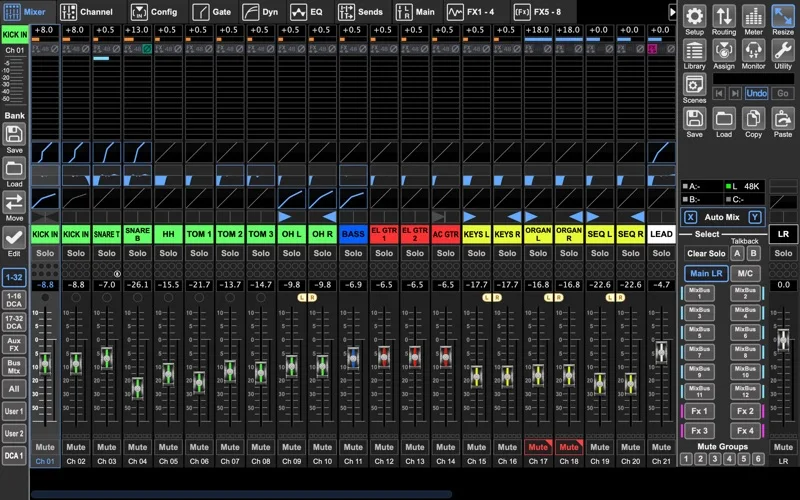
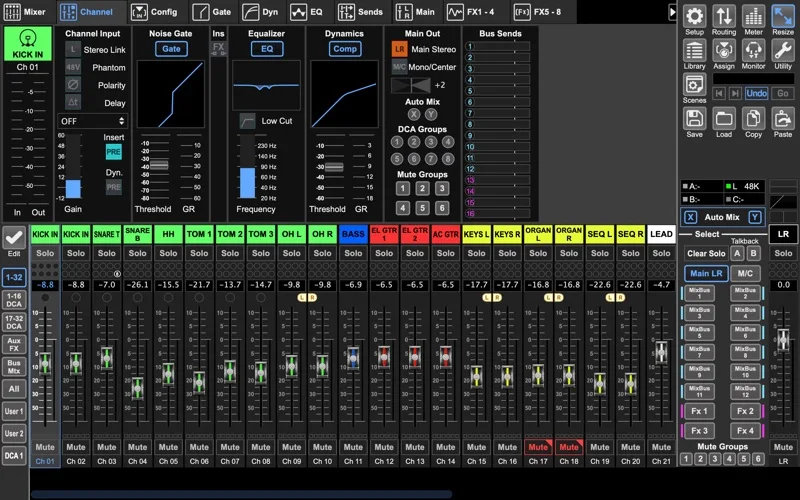
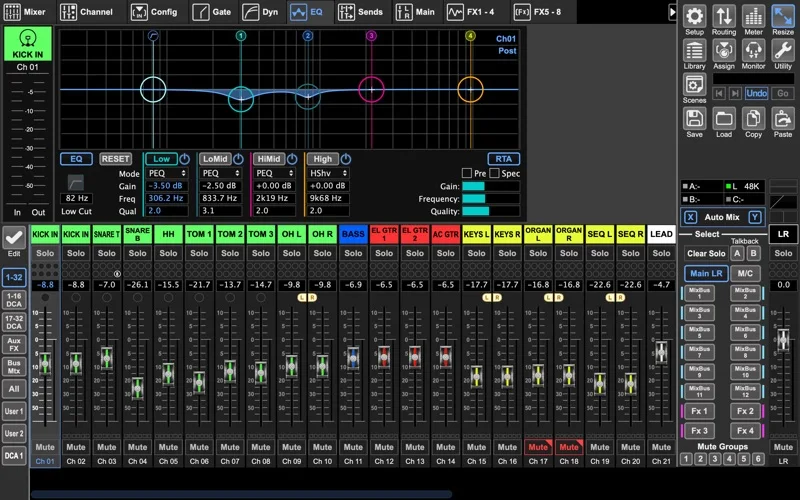
What you can do
- Adjust routing, channel processing and libraries for the named M32 models.
- Inspect meters and the described analyzer overlays.
- Control effects and monitor mixes, or use the advertised offline demo.
Good for
- An owner of a supported M32/M32R/M32C console with compatible firmware.
Consider alternatives for
- An included physical mixer or independent 32-track recording hardware.
Limitations & considerations
- The listing requires firmware 4.05+ and mixes remote-control features with console hardware claims about recording, USB and networking. Verify your console/card/network configuration separately; the app alone does not establish those hardware capabilities.
Privacy & permissions
Live mix controls affect a shared network device. Use a trusted control network and review permissions; no remote-access/security audit is claimed.
Sources & review notes Updated Nov 18, 2026
Reviewed by iApp4Me Editorial Team. Recommendations use the linked documentation and attributed accounts; device observations are identified separately.
- US App Store listing
Publisher description, version and US download price captured 2026-11-02; source-based coverage, not a device test.
No comments yet. Be the first to share your experience.