
Memory Meter 3: System Monitor
See Mac memory use and high-memory apps from a configurable menu-bar display.
Mac users deciding which open apps to close when memory is constrained.
See Mac memory use and high-memory apps from a configurable menu-bar display.
Keep in mind: A memory meter reports usage rather than adding RAM. The description’s speed and accuracy claims were not independently measured; inactivity reminders do not prove an app is safe to close.
Inside the app
Official product images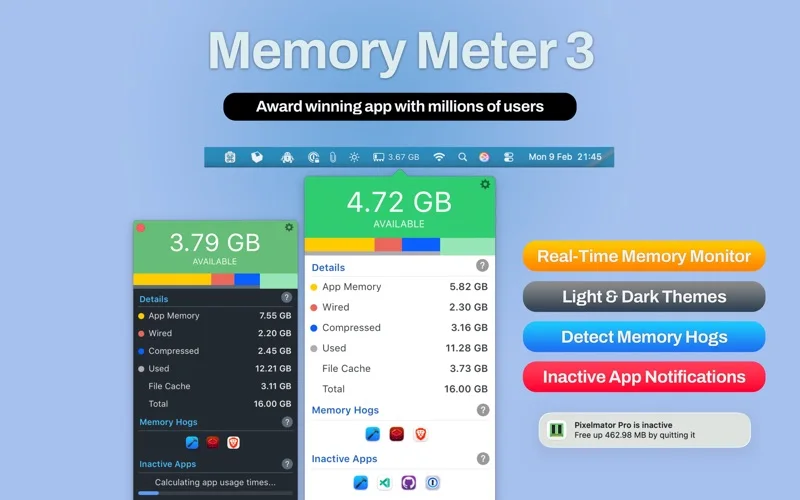
What you can do
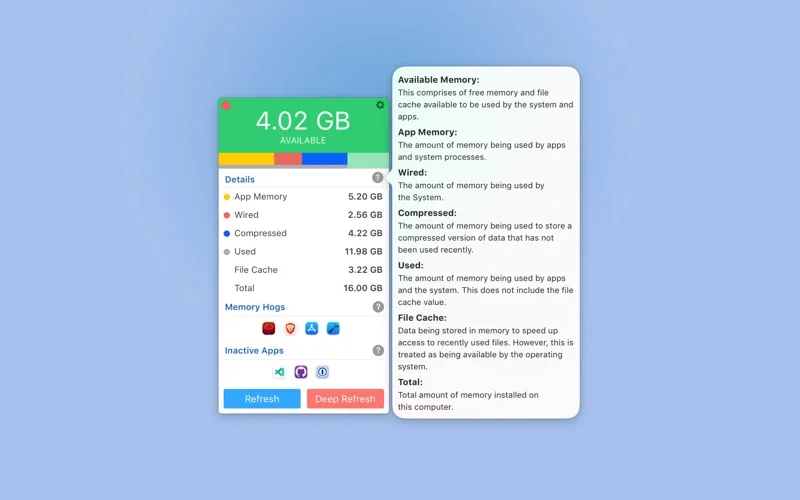
- Monitor live system-memory usage and identify memory-heavy apps.
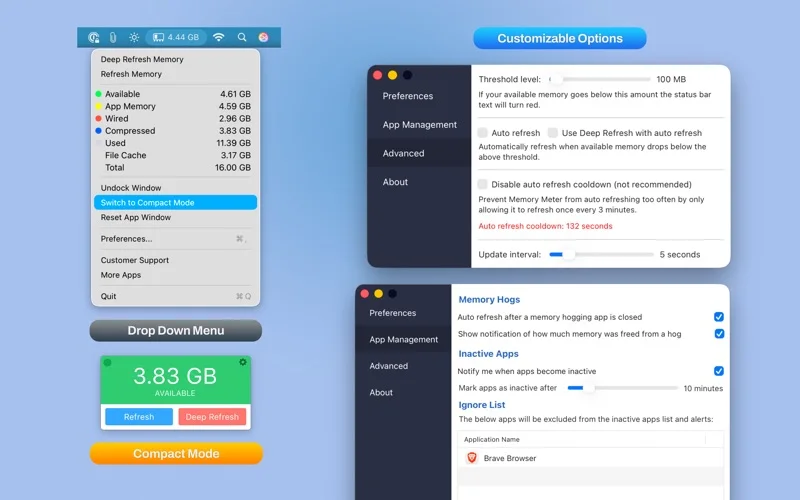
- Choose optional reminders about applications inactive for a selected period.
- Switch light/dark themes and detailed or compact layouts.
Good for
- Mac users deciding which open apps to close when memory is constrained.
Consider alternatives for
- Automatic guaranteed performance repair or a general malware detector.
Limitations & considerations
- A memory meter reports usage rather than adding RAM. The description’s speed and accuracy claims were not independently measured; inactivity reminders do not prove an app is safe to close.
Privacy & permissions
Application names and inactivity are part of the described monitoring function. Review permissions and the store disclosure before assuming that usage information remains only on the Mac.
Sources & review notes Updated Nov 17, 2026
Reviewed by iApp4Me Editorial Team. Recommendations use the linked documentation and attributed accounts; device observations are identified separately.
- US App Store listing
Publisher description and US download price captured 2026-11-02; source-based coverage, not a device test.
No comments yet. Be the first to share your experience.