
Productivity
Merge Voice Memos
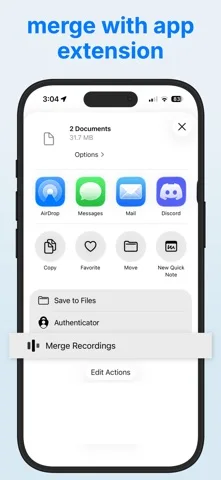
Merge Voice Memos joins selected recordings into one M4A file through a share action.
Consider it if a lecture or interview is split into clips and you want one file without uploading it.
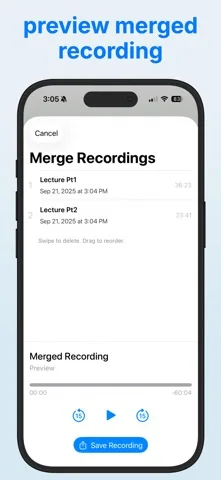
Reordering and a preview let you confirm the sequence before saving.
Keep in mind: It is a joiner rather than a full audio editor. The listing identifies M4A and AIFF inputs.
Inside the app
Official product images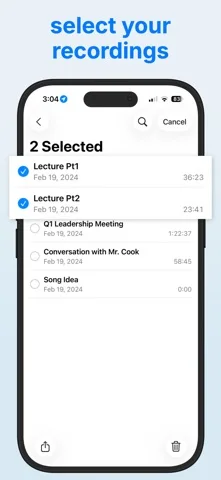
What you can do
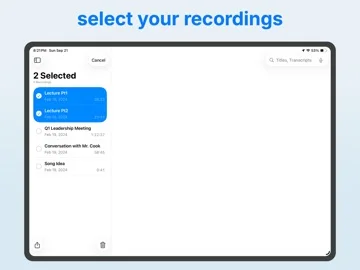
- Select recordings in Voice Memos and open the merge action
- Reorder or remove clips and preview the result
- Save an M4A to Voice Memos or Files
Good for
- People combining voice clips on iPhone or iPad
Consider alternatives for
- Anyone needing filters, multitrack editing, or transcription
Limitations & considerations
- Captured minimum: iOS 16.0.
- It is a joiner rather than a full audio editor. The listing identifies M4A and AIFF inputs.
Privacy & permissions
The developer says processing is offline without account or upload. The resulting file goes where you choose to save it.
Sources & review notes Updated Nov 11, 2026
Reviewed by iApp4Me Editorial Team. Recommendations use the linked documentation and attributed accounts; device observations are identified separately.
- US App Store developer description
Complete description, download price and compatibility metadata captured 2026-11-02.
No comments yet. Be the first to share your experience.