Productivity
Microsoft Excel
Review files and run data analysis on the go. Customise tables the way you want with robust formatting tools and great features. Excel lets you build your spreadsheet to meet your specific needs. Get the power of AI with Copilot in your favourite apps when you sign in with your Microsoft 365 subscription. Create templates, edit spreadsheets, organise charts and share with ease when you download Microsoft Excel. Tables and Spreadsheets: Create, Calculate and Analyse • Jump-start your budget, task list, accounting or financial analysis with Excel’s modern templates. • Rich productivity features and formatting options make your workbook easier to read and use. Productivity App: Review, Edit and...
About Microsoft Excel
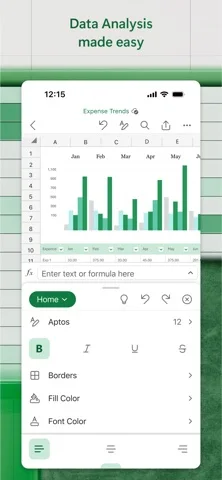
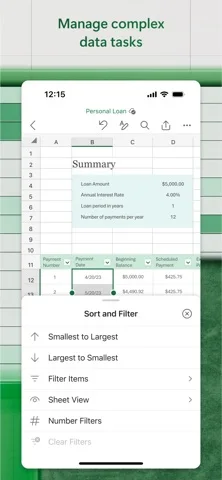
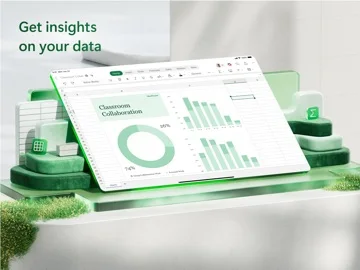
Review files and run data analysis on the go. Customise tables the way you want with robust formatting tools and great features. Excel lets you build your spreadsheet to meet your specific needs. Get the power of AI with Copilot in your favourite apps when you sign in with your Microsoft 365 subscription. Create templates, edit spreadsheets, organise charts and share with ease when you download Microsoft Excel. Tables and Spreadsheets: Create, Calculate and Analyse • Jump-start your budget, task list, accounting or financial analysis with Excel’s modern templates. • Rich productivity features and formatting options make your workbook easier to read and use. Productivity App: Review, Edit and Work Anywhere • Refresh sheet data or update your task list from anywhere. • Spreadsheet features like sort and filter columns help focus your reviews. • Create, duplicate, hide and unhide sheets easily. Data Analysis: Discover Key Insights on the Go • Analyse data using charts and graphs. • Highlight key insights using chart labelling features. • Visualise data at a glance. Finance Budgeting and Accounting: Simplify Personal Finance • Use spreadsheets and charts to help manage budgets. • Familiar tools to help you drill down to your exact finance needs. • Calculate tax estimates, personal finances and more. Draw and Annotate with Ink: Capture Ideas on the Page • Make notes, highlight your worksheet, create shapes or write equations using the draw tab feature on devices with touch capabilities. Sharing Made Easy: Collaborate Anywhere • Share your files with a few taps to quickly invite others to edit, view or leave comments directly in your workbooks. • Copy the content of your worksheet in the body of an email message with its format intact or attach or copy a link to your workbook...From the developer’s App Store description

No comments yet. Be the first to share your experience.