
Microsoft Teams
Bring chats, meetings, shared files, tasks and community or workplace conversations into Microsoft Teams.
Keep a group’s conversation and shared work together
Teams suits groups already using Microsoft accounts or Microsoft 365 who want discussions, calls and shared material in a common workspace.
Keep in mind: Personal communities and workplace channels serve different account types. Meeting tools, administration and commercial features depend on the account, license and organization settings.
Inside the app
Official product images
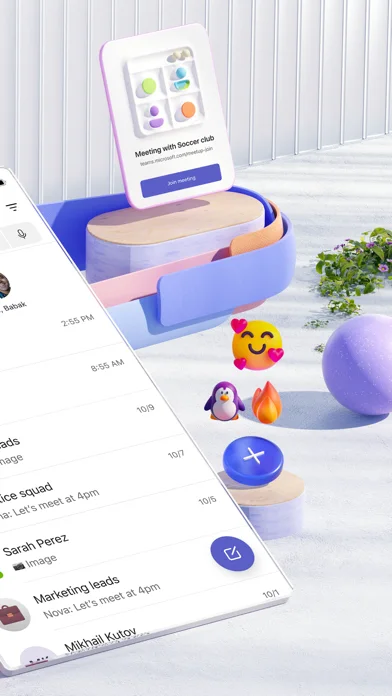
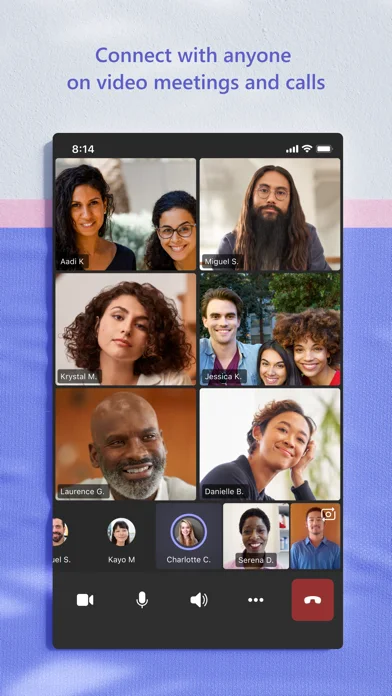
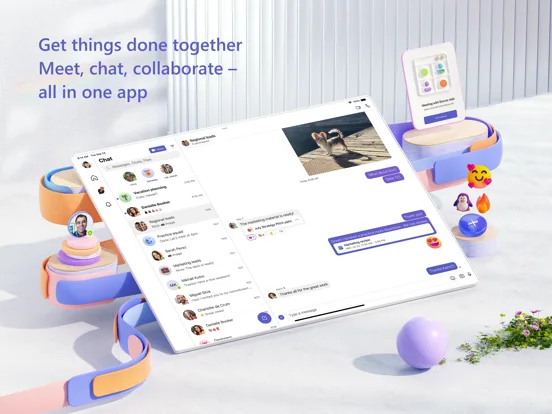
What you can do
- Chat individually or with groups and use mentions.
- Create or join audio and video meetings using links or invitations.
- Organize workplace discussions in teams and channels.
- Share files and photos through cloud storage.
- Use available meeting tools such as screen sharing and whiteboard.
- Manage shared tasks and personal-account communities or events.
App Store review themes
Recurring praise and complaints, grouped by topic.
50 reviews · US App Store · Written feedback; review platforms are not identified
What reviewers like
No recurring positive theme has at least three supporting reviews.
What reviewers dislike
Device access, compatibility and requests
24 reviewsReviewers raise concerns or requests about device layout.
See 2 review examples
The reviewer requests support for a device they call the duo; its identity and compatibility are not independently verified.
Original excerpt“Please add support for the duo”Apple source · Review 14739452288
The reviewer requests support for the device they call iPhone Duo while praising use on other iPhones.
Original excerpt“I’d love to see an update for iPhone Duo support.”Apple source · Review 14735097838
Sign-in and recovery friction
3 reviewsReviewers describe unwanted email-code sign-in, repeated Face ID in a corporate setup or difficulty recovering an account. The reports do not establish one universal authentication policy.
See 2 review examples
The reviewer dislikes the email-code sign-in flow compared with using a password.
Original excerpt“Sign in sends verification codes to email instead of just using a password.”Apple source · Review 14720140689
The reviewer says their corporate Teams setup requests repeated Face ID checks and wants a single check; no platform-wide policy is inferred.
Original excerpt“they should check the faceId only once”Apple source · Review 14713767384
Missing alerts and lingering notification state
3 reviewsReviewers describe missing meeting alerts, notifications they cannot see or ghost notifications. These are different notification symptoms reported in October 2026, rather than a verified single underlying defect.
See 2 review examples
The reviewer says the notification state leaves ghost alerts.
Original excerpt“still leaves ghost notifications”Apple source · Review 14733860120
The reviewer reports notifications that cannot be seen; the broader communication complaint does not establish a specific cause.
Original excerpt“Notifications that can’t be seen”Apple source · Review 14730257031
Show fewer negative themes
Call connection
3 reviewsReviewers raise concerns or requests about call connection.
See 2 review examples
The reviewer reports connection failures, without specifying a cause.
Original excerpt“It won’t connect”Apple source · Review 14735007086
The reviewer reports losing calls in the context of updates and changed controls.
Original excerpt“cause you to lose the call”Apple source · Review 14722539769
Good for
- Microsoft 365 teams coordinating meetings and project conversations.
- Personal groups using Microsoft accounts to organize communities and activities.
Consider alternatives for
- Assuming a free personal account includes every commercial meeting tool.
- Keeping shared work exclusively on the device without cloud processing.
Limitations & considerations
- Communities marked in the developer listing require a personal Microsoft account.
- Commercial features require a qualifying Microsoft 365 subscription or Teams trial; ask the organization which tools are enabled.
- Work or school policies govern organizational chats and meetings; check the account and audience before sharing files.
Privacy & permissions
Microsoft describes collecting usage information and communication participants and times, with optional contact sync for personal Teams. Profile details can be visible to people you interact with. Work and school use follows organizational policies, and data shared with an organization may be handled under its rules.
Privacy policySources & review notes Updated Nov 6, 2026
Reviewed by iApp4Me Editorial Team. Recommendations use the linked documentation and attributed accounts; device observations are identified separately.
- US App Store listing
Complete developer description and version metadata captured 2026-11-02; official images cached locally.
- Microsoft Teams business plan comparison
Official source consulted 2026-11-06.
- Microsoft privacy statement, Teams and organizational use
Official source consulted 2026-11-06.
No comments yet. Be the first to share your experience.