Mirror Screen to Smart TV
Mirror a Mac screen or supported media to compatible local-network TVs with selectable audio/subtitle options.
Someone using a compatible DLNA television on the same home network.
Mirror a Mac screen or supported media to compatible local-network TVs with selectable audio/subtitle options.
Keep in mind: The text mixes DLNA and Chromecast descriptions. Verify the exact receiver/protocol; audio support, codecs and transcoding were not tested.
Inside the app
Official product images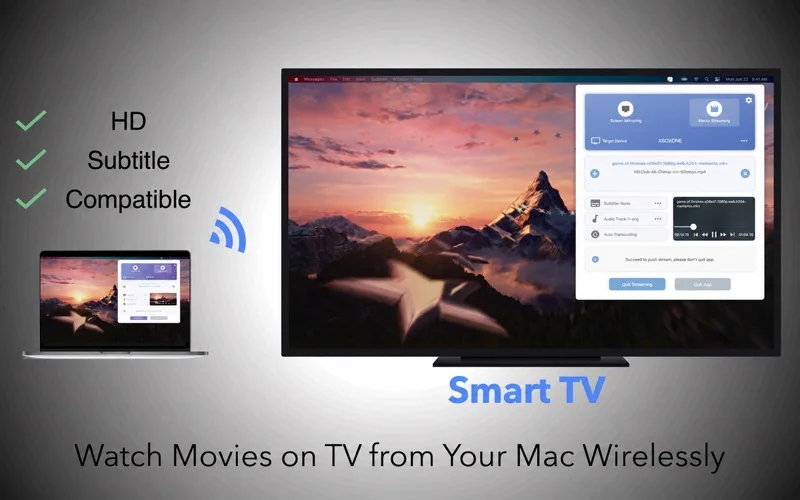
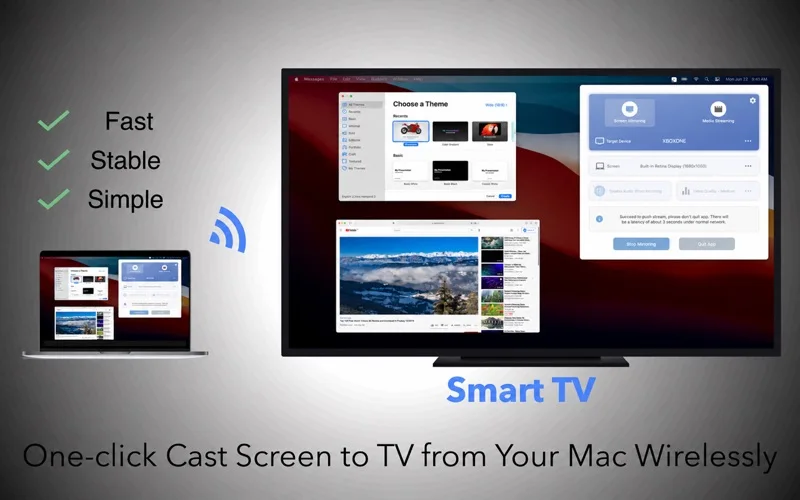
What you can do
- Choose the screen and image quality for supported mirroring.
- Cast local media with advertised automatic transcoding.
- Select available audio tracks and internal/external subtitles.
Good for
- Someone using a compatible DLNA television on the same home network.
Consider alternatives for
- Every Smart TV model, zero latency or unlimited free advanced features.
Limitations & considerations
- The text mixes DLNA and Chromecast descriptions. Verify the exact receiver/protocol; audio support, codecs and transcoding were not tested.
Privacy & permissions
The Omi policy says mirrored frames are held temporarily and not sent to external servers or retained as recordings, while also describing diagnostics/third-party services. Receiving devices can see shared contents; these are developer statements rather than an audit.
Privacy policySources & review notes Updated Nov 18, 2026
Reviewed by iApp4Me Editorial Team. Recommendations use the linked documentation and attributed accounts; device observations are identified separately.
- US App Store listing
Publisher description, version and US download price captured 2026-11-02; source-based coverage, not a device test.
- Developer privacy overview
Text captured 2026-11-13; source-based overview, not a current device/security audit.
No comments yet. Be the first to share your experience.