miTypewriter for iPad
A typewriter-style iPad writing app with selectable keyboard layouts, document management and text or image sharing.
Consider for a deliberately simple typing aesthetic
Ribbon colors, typewriter fonts and support for an external keyboard provide a focused alternative to a general word processor.
Keep in mind: The short feature list does not establish complex formatting, cloud collaboration, version history or advanced export fidelity.
Inside the app
Official product images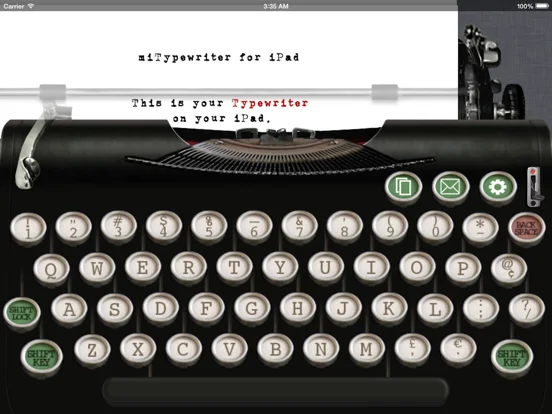
What you can do
- Choose typewriter fonts and red or black ribbon
- Use QWERTY, QWERTZ, AZERTY or QZERTY layouts
- Manage documents and move the cursor by dragging
- Email text or images and use AirPrint
Good for
- Writers who want the appearance and feel of a typewriter for short documents or creative sessions.
Consider alternatives for
- Users needing collaborative editing, tracked changes or a verified long-term manuscript backup system.
Limitations & considerations
- Captured minimum: iOS 14.0.
- The short feature list does not establish complex formatting, cloud collaboration, version history or advanced export fidelity.
Privacy & permissions
Typed documents and emailed exports may contain private material. The capture does not establish encryption or automatic cloud backup.
Sources & review notes Updated Nov 11, 2026
Reviewed by iApp4Me Editorial Team. Recommendations use the linked documentation and attributed accounts; device observations are identified separately.
- US App Store developer description
Complete description, download price and compatibility metadata captured 2026-11-02.
No comments yet. Be the first to share your experience.